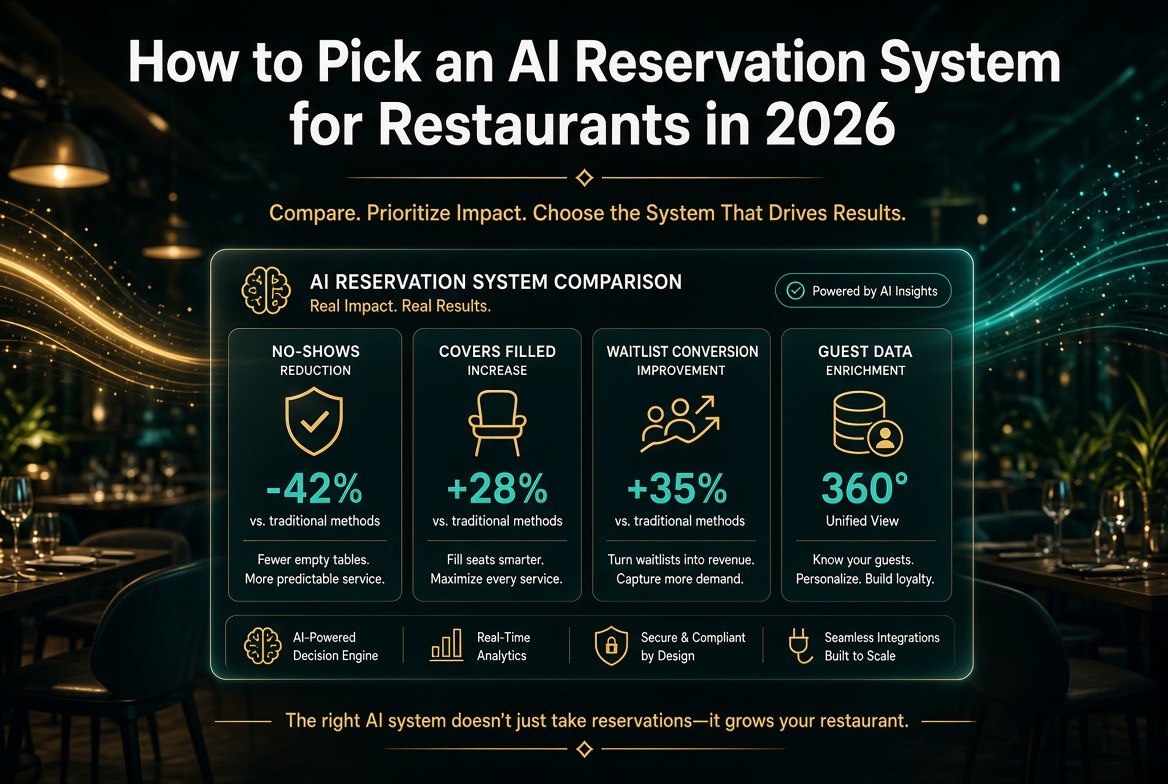
How to Pick an AI Reservation System for Restaurants in 2026
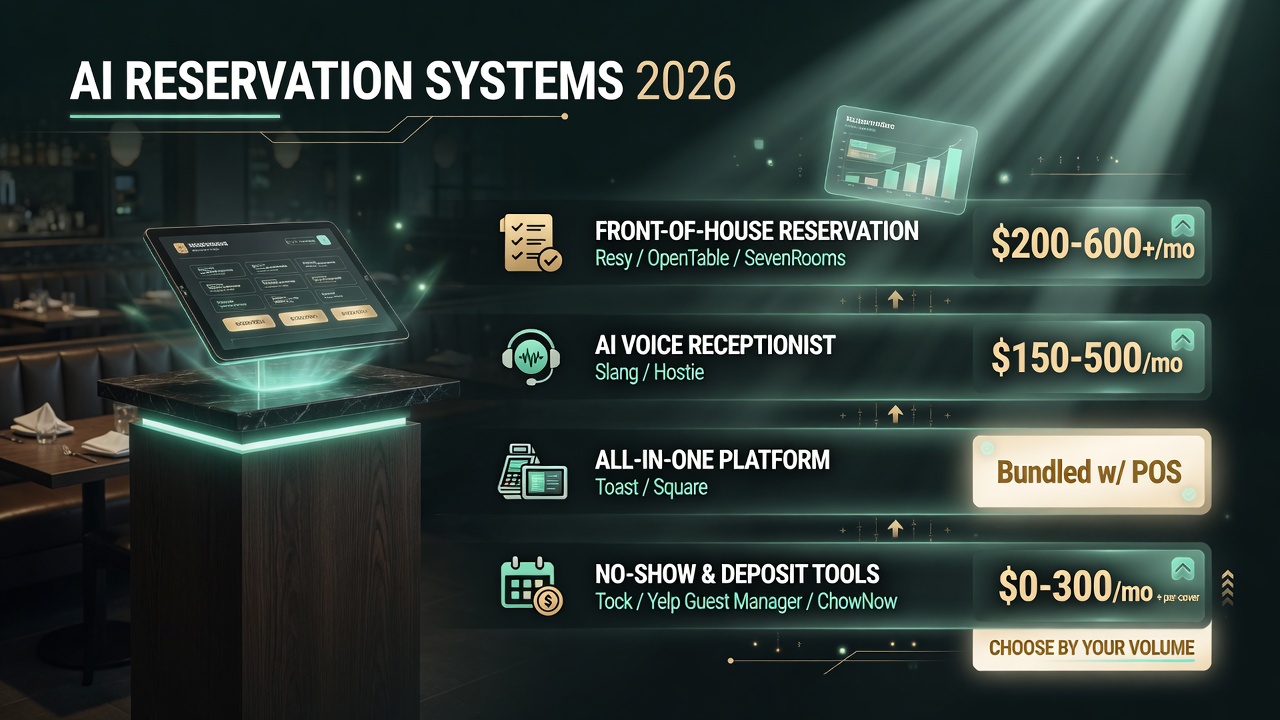
⚡ Expert Summary: Most independent restaurants don’t need a bigger reservation platform — they need the right one. The 2026 market splits into four clear types: front-of-house reservation tools (Resy, OpenTable, SevenRooms), AI voice receptionists that take reservations (like Slang or Hostie), all-in-one management platforms (Toast, Square), and no-show/deposit-specific tools (Tock, Yelp Guest Manager, ChowNow). This guide gives you a decision framework to match your restaurant’s size, volume, and booking mix to the right system — plus the specific questions to ask before you sign.
Why Most Reservation System Mistakes Happen Before You Even Compare Features
Picking an AI reservation system is a lot like picking a wine list: the failure is almost never the tool. It’s the bar that a restaurant picks it for. According to a 2025 PAR survey, 3 in 4 diners in the United States say they are now open to AI-assisted restaurant experiences — which means the demand side is solved. The problem is on the operator side: owners buy a “best reservation platform” thinking it will fix no-shows, then discover it charges per-cover fees that eat their margin, or it can’t handle their walk-in-heavy bar crowd, or it forces their guests onto an app they refuse to download. The category landscape across the US market keeps shifting, which is exactly why a framework matters more than a brand name.
The way to avoid that is to define what your restaurant actually needs before you look at a single dashboard. That means knowing your booking mix, your no-show rate, your staffing constraints, and whether you want a system that just books tables or one that also answers phones and collects deposits. This post walks through a five-step framework so you end up with the tool that fits — not the one with the biggest ad budget.
Step 1: Know Your Booking Mix Before Anything Else
Every restaurant has a different split between phone bookings, online reservations, walk-ins, and bar seating — and that split determines which system category you need. A 40-seat neighborhood spot in Portland that takes 70% of its reservations by phone has a totally different problem than a 200-seat event-driven venue in Chicago that books most covers through OpenTable or Resy.
To figure out your mix, pull two weeks of data. Separate every booking by channel: phone, online widget, third-party marketplace, and walk-in. If you don’t track this, start now — it’s the single most useful number for this decision. An AI voice receptionist matters far more to a phone-heavy restaurant, while an online marketplace integration matters more to a destination dining room.
There’s a real cost to getting this wrong. Phone-based reservation errors — missed calls, double-bookings, forgotten party notes — quietly bleed revenue. Yelp’s research on missed calls found that restaurants lose a meaningful share of bookings when phones go unanswered, and that’s exactly the gap an AI receptionist is built to close. But if your phones rarely ring, paying for voice AI is wasted money you could put toward deposits or better online tools.
Step 2: Match the Four System Categories to Your Volume
Once you know your mix, you need to understand the four categories and which one your volume supports. This is where most owners go wrong: they upgrade to an enterprise-tier platform designed for 200-cover-per-night restaurants when they run 60 covers a night and will never use 80% of the features.
| System Category | Best For | Monthly Cost Range | Core Value |
|---|---|---|---|
| Front-of-House Reservation (Resy, OpenTable, SevenRooms) | Mid-to-high volume, destination dining | $200–$600+/mo plus per-cover fees | Table management + guest database |
| AI Voice Receptionist (Slang, Hostie) | Phone-heavy independents, understaffed front | $150–$500/mo | Answer calls, book tables, cut missed calls |
| All-in-One Platform (Toast, Square) | Quick-service, need POS + reservations combined | Varies; often bundled with POS | One system for orders, payments, bookings |
| No-Show / Deposit Tools (Tock, Yelp Guest Manager, ChowNow) | High no-show rates, event/prepaid covers | $0–$300/mo + per-cover | Cards-on-file, deposits, reduce empty tables |
The four AI reservation system categories and the volume profile each one fits. Match your booking mix to a category before comparing individual tools.
The pattern to notice: the more phone-driven and staff-constrained your operations, the more an AI voice layer earns its keep. The more destination and event-driven you are, the more the front-of-house database and deposits matter. Choosing a category first keeps you from paying for features you’ll never switch on.
Step 3: Test the Two Non-Negotiables — No-Shows and Deposits
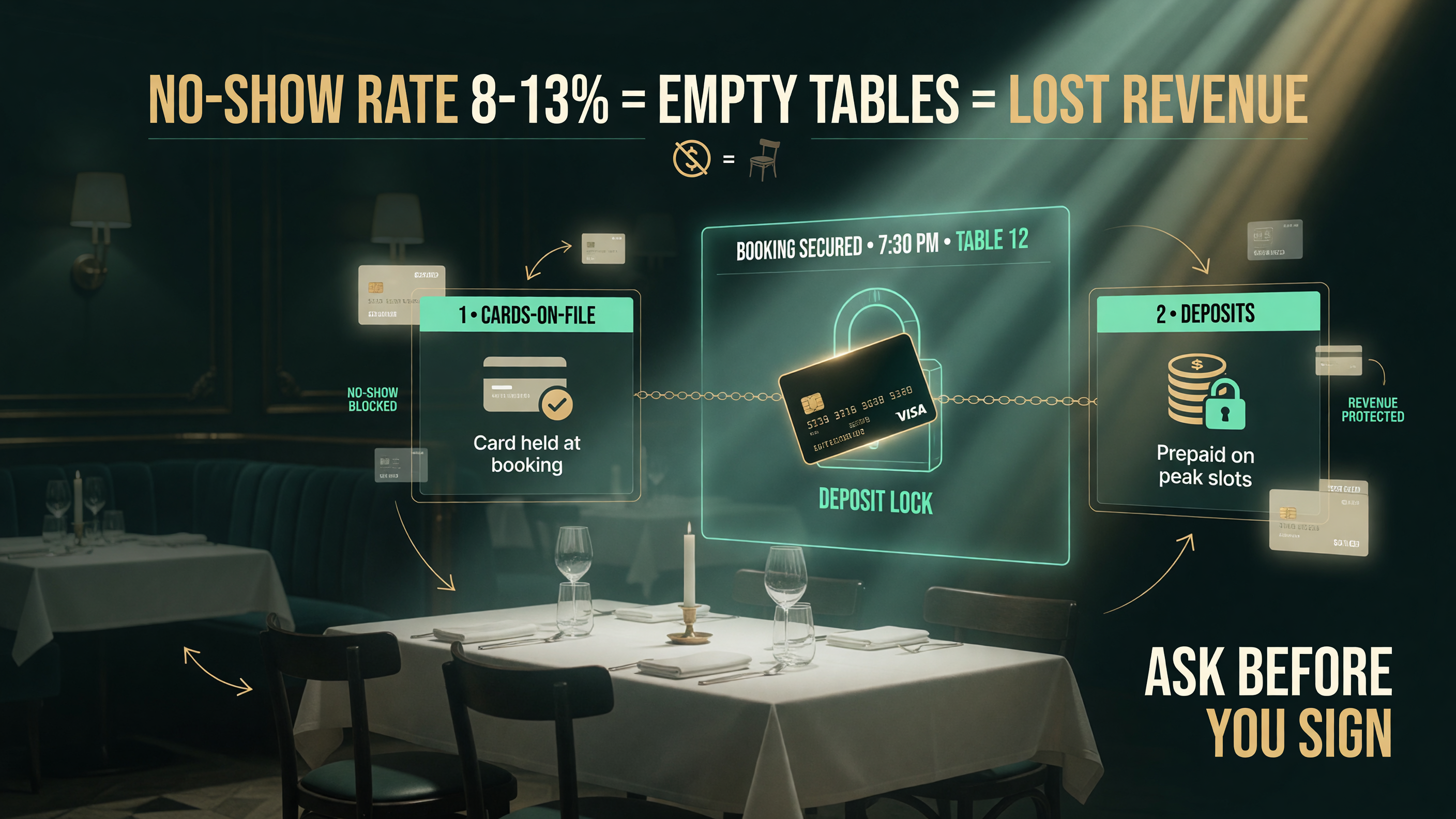
No-shows are the silent killer of independent restaurant margin. The average no-show rate hovers in the high single digits to low double digits for many independents, and every empty table is lost revenue you can’t get back. A reservation system that cannot reduce no-shows is not solving your real problem — it’s just digitizing it.
The way modern systems attack no-shows is through cards-on-file and deposits. Tock built its entire model around prepaid covers and deposits. Yelp Guest Manager lets you take a credit card and charge no-show fees. Resy and SevenRooms both support deposit captures on high-demand slots. Before you sign with any system, ask a direct question: can you hold a card on file and charge a no-show fee or a small deposit automatically? If the answer is no, that system is a scheduling tool, not a revenue-protection tool.
There is a trade-off here worth understanding. Charging deposits on every reservation can scare off casual guests and add friction, which matters for a neighborhood spot. But refusing to collect any card data means your no-show policy is just a sign on the host stand. The smart middle ground is conditional deposits — only require them for weekend prime time, large parties, or event covers. That’s the kind of granular control a good system gives you and a bad one doesn’t.
Step 4: Decide How “AI” the System Needs to Be
“AI reservation system” is a broad label in 2026, and it’s worth being precise about which layer of AI you actually need. There are three distinct layers, and you can mix them depending on your pain points:
| AI Layer | What It Does | Who Needs It | Example |
|---|---|---|---|
| AI Phone Answering | Takes calls 24/7, answers questions, books via natural speech | Understaffed front of house, phone-heavy mix | Slang.ai, Hostie |
| Smart Table/No-Show Prediction | Predicts no-shows from history, optimizes seating | High-volume, data-rich operations | SevenRooms, advanced OpenTable tiers |
| Chat/Messaging AI | Handles booking requests over SMS/WhatsApp/Google | Mixed walk-in + online, mobile-first guests | Yelp assistant, Toast AI |
The three AI layers you can buy in 2026. Most independents need one, not all three — pick the layer that matches your biggest staffing or revenue leak.
The trap is buying a system that bundles “AI” as a feature you didn’t ask for and paying a premium for it. Decide your single biggest leak first. If it’s missed phone calls driving lost bookings, you need the voice layer. If it’s no-shows on weekend prime time, you need deposits and prediction. If it’s guests bouncing between Google and your website, you need messaging AI. Rarely does one restaurant genuinely need all three.
Step 5: Run a Ten-Question Test Before You Sign Anything
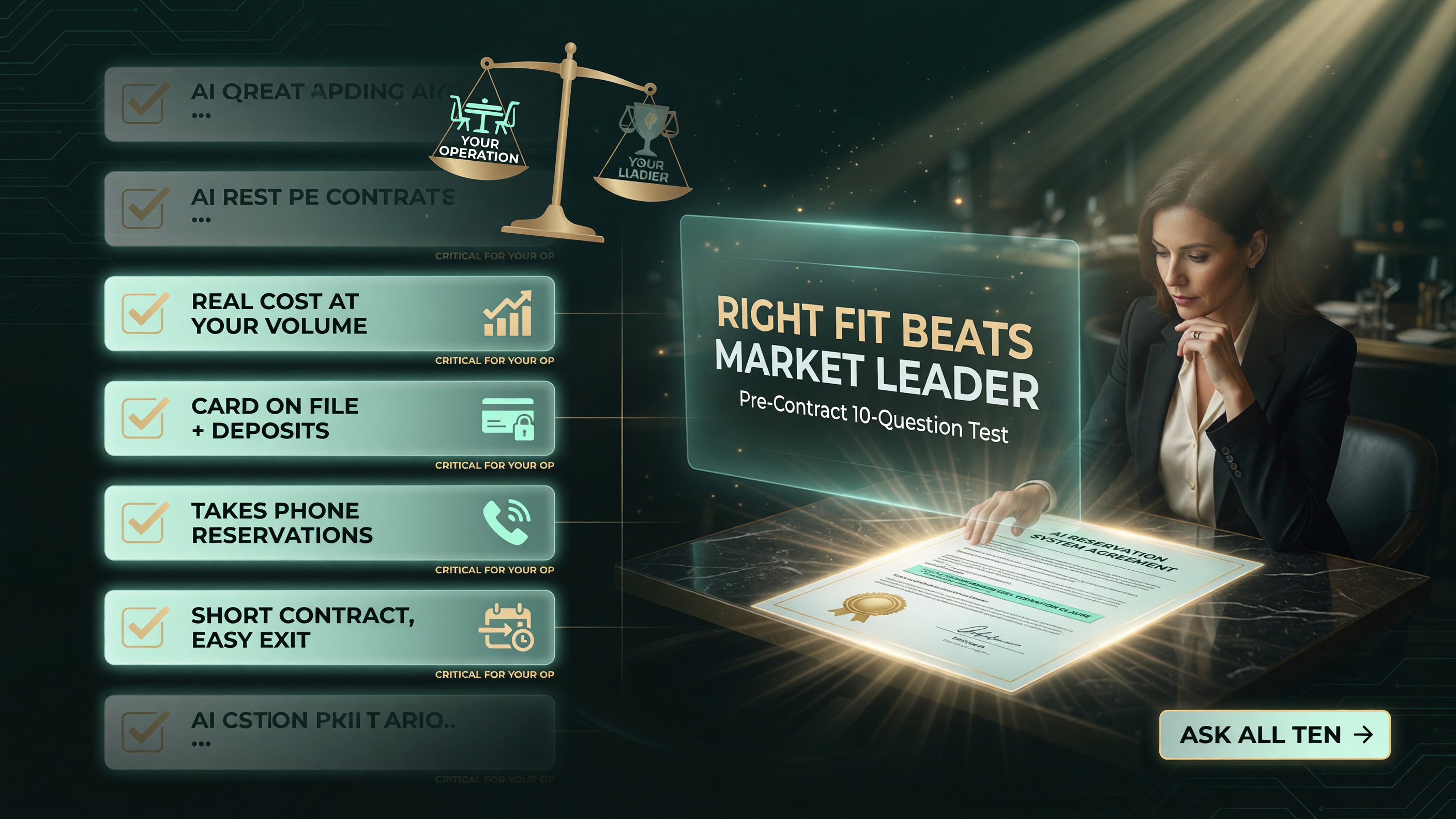
Once you’ve matched your category and your AI layer, the final step is to put every shortlisted system through the same ten questions. This keeps the decision apples-to-apples and surfaces the fees and limits that hide in the fine print. Print this list and take it to each demo.
- What is the total monthly cost at my cover volume? Ask for real numbers based on your bookings, including per-cover fees — a “$199/month” platform can cost $900 at scale.
- Can you hold a card on file and charge deposits or no-show fees automatically? If no, question what’s protecting your tables.
- Does it take phone reservations, or only online? For phone-heavy restaurants this is the whole ballgame.
- Is there a contract, and how easy is it to leave? Three-year lock-ins are a red flag for a tool that should fit, not trap you.
- Does it integrate with my POS? Toast, Square, and other POS integrations matter for a single source of truth.
- Will my guests need to download an app? App-required models get skipped; look for web-first and SMS-friendly.
- What does the no-show prediction actually do? Ask for a concrete example, not a slide about “AI insights.”
- How does it handle walk-ins and bar seating? If you run a lively bar, this traffic still needs tracking.
- Who owns the guest data? You should be able to export your customer list anytime.
- What’s onboarding and training like? A system nobody on your team will use is worse than a slightly pricier one that sticks.
Walk through these ten questions with each candidate, score them, and only then look at price. You’ll often find the “best reservation system” for someone else’s restaurant is the wrong one for yours — and that’s exactly why this framework matters more than any feature list. For more hands-on guidance across booking, no-shows, and front-of-house AI, browse the full library of independent restaurant AI resources on AI Table Review.
Common Mistakes to Avoid When You Switch Systems
Switching reservation systems carries real operational risk, and a few mistakes pop up again and again. First, double-booking during migration: run the old and new systems in parallel for at least a week and turn off live bookings on the old one only after you manually reconcile the current day. Second, losing your guest history: export your full customer database before you cancel the old contract, because many vendors make export painful after termination. Third, underestimating training: a front-of-house team of ten needs at least a few hours of hands-on training, not a PDF, or they’ll revert to pen and paper on a busy Saturday.
There is also a silent cost in switching too often. Every migration risks data loss, confuses regulars who book through the old platform’s marketplace, and costs you labor hours. The goal of the ten-question test is to make the decision once and make it stick. Better to spend two weeks evaluating thoroughly than to switch systems every nine months.
Why the Right Fit Beats the Market Leader
It is tempting to default to the biggest name, but the dominant platforms are designed for a specific profile — usually mid-to-high-volume, multi-channel restaurants — and they charge accordingly. For an independent doing 40 to 90 covers a night, the heavy enterprise feature set is wasted money, and the per-cover fees can quietly eat 1 to 3 percent off revenue you’d rather keep.
That’s not to say market leaders are bad; many independents thrive on them, and their guest databases and marketplace reach are genuinely valuable for destination dining. The point is that “best” is relative to your booking mix, your no-show rate, and your staffing. The right tool pays for itself by cutting missed calls and empty tables, which is why matching the category to your real operation — not to the vendor’s marketing — is the highest-leverage decision you can make this year.
Frequently Asked Questions
What is the best AI reservation system for a small independent restaurant?
There is no single best system — it depends on your booking mix and volume. For phone-heavy, understaffed independents, an AI voice receptionist that books tables plus a simple reservation widget is usually the highest-ROI fit. For destination dining with high no-show risk, a platform with deposits and cards-on-file like Tock or Yelp Guest Manager protects revenue best.
How much do AI reservation systems cost for independent restaurants?
Costs range from roughly $0 for basic no-show tools to $200–$600+ per month for full front-of-house platforms, often plus per-cover fees. AI voice receptionists typically run $150–$500 per month. Always ask for a quote based on your actual cover volume, since per-cover fees can add up fast.
Do AI reservation systems reduce no-shows?
Yes, when you use the right features. Systems that hold a card on file, collect deposits, or use no-show prediction meaningfully reduce empty tables. The protection only works if you actually configure conditional deposits and no-show fees and enforce them.
Can an AI system take phone reservations?
Yes. AI voice receptionists like Slang.ai and Hostie answer calls, answer questions, and book tables through natural conversation, running 24/7 without adding labor. This is the strongest option for restaurants that still get most of their reservations by phone.
Should I switch reservation systems if my current one works okay?
Only switch if your current system is causing a measurable leak — missed calls, high no-shows, or poor guest tracking. Switching risks migration data loss and team training time, so complete the ten-question test first and switch once, deliberately, rather than churning between systems.

About Barak Schurr
Barak Schurr built and exited a major ticketing platform, ran global operations at Eventbrite, and now focuses on one question: which AI tools actually help independent restaurant owners run leaner and grow faster. He writes from the operator’s perspective — no vendor spin, no theory, just what’s real in 2026.
Email: [email protected]
More AI Resources for Your Business
More Resources for Restaurant Operators