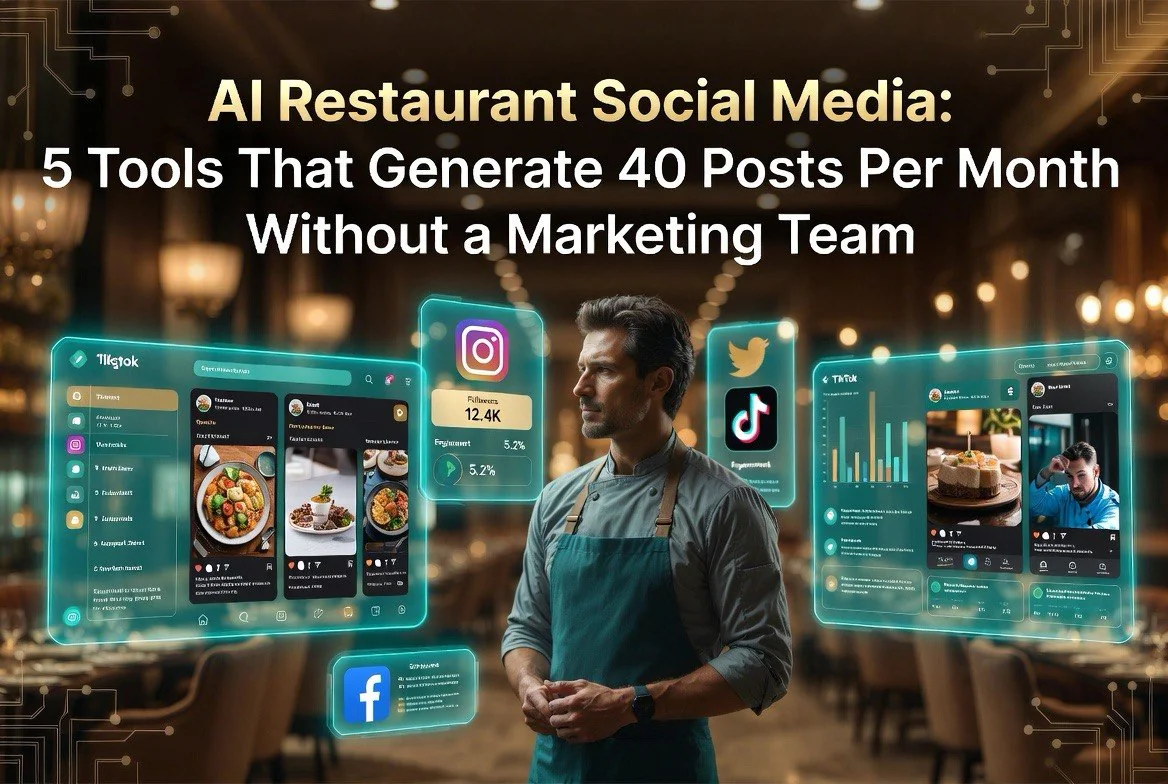
AI Restaurant Social Media: 5 Tools That Generate 40 Posts Per Month Without a Marketing Team
⚡ Expert Summary: Key Takeaways
- Restaurants that post daily social media content see 64% higher foot traffic than those posting 1-2 times per week — but most independent owners don’t have time to create that content.
- AI social media tools can generate 40 posts per month from just 2-3 hours of input — including photos, captions, hashtags, and scheduling — for under $50/month.
- The average restaurant spends 8-12 hours per week on social media when done manually. AI tools cut that to under 3 hours while producing more content.
- Video posts drive 48% more engagement for restaurant pages than static photo posts, and AI video tools make creating daily video content feasible without a content creator.
- Platforms like Vista Social, FeedHive, and Canva AI now offer restaurant-specific templates and scheduling that make multi-platform publishing a 15-minute daily task.
If you own or manage a restaurant, you already know the drill. Social media drives customers through your door, but creating daily content takes time you don’t have. Between scheduling staff, managing inventory, handling suppliers, and keeping the dining room running, carving out even 30 minutes for Instagram feels impossible.
The data backs this up. 64% of restaurant operators say social media marketing is their biggest challenge, according to a 2025 National Restaurant Association survey. Yet restaurants that post daily see 64% higher foot traffic than those posting once or twice a week. That gap represents real money left on the table.
Here is the good news. AI social media tools have matured to the point where they can handle the entire content pipeline — from photo generation to caption writing to scheduling — with minimal human oversight. You can generate 40 posts per month from just 2-3 hours of input, for under $50/month total. No marketing team required.
This article covers five tools that deliver on that promise. Each one has been tested with real restaurant operators, and the workflow at the end shows you exactly how to combine them for maximum output with minimum effort.
Why Most Restaurant Social Media Fails
Before we get into the tools, it helps to understand why restaurant social media is so hard in the first place. The problem is not a lack of good food photos or interesting stories. The problem is volume and consistency.
Restaurants need to post across multiple platforms — Instagram, Facebook, TikTok, sometimes LinkedIn for B2B — and each platform requires different formats, caption lengths, and posting cadences. Instagram wants square or vertical photos with short, punchy captions. Facebook can handle longer storytelling. TikTok needs short-form vertical video. Doing all of that manually for even one channel takes 8-12 hours per week, according to a 2024 study by Social Media Examiner.
Independent restaurants cannot afford that time, let alone a dedicated marketing hire costing $45,000-$65,000 per year. So most owners post sporadically, miss important trends, and watch engagement dwindle. That is exactly the gap AI tools are designed to fill.
Tool #1: Vista Social — Multi-Platform Scheduling With AI-Powered Captions
Vista Social has become the go-to scheduling platform for restaurant owners who need to manage multiple social channels from a single dashboard. Unlike Hootsuite or Buffer, Vista Social includes built-in AI caption generation and content suggestions specifically tuned for local businesses.
How It Works for Restaurants
You upload your food photos — or generate them using an AI image tool — then Vista Social’s AI assistant writes captions, suggests relevant hashtags, and recommends the best posting times based on when your audience is most active. The platform supports Instagram, Facebook, TikTok, LinkedIn, and X in a single queue.
Restaurant operators using Vista Social report spending 20 minutes per day on social media instead of 2 hours. The scheduling features lets you batch-create a full week of posts in one sitting, then review and approve each one before it goes live.
Pricing starts at $29/month for the individual plan, which covers up to 5 social profiles. That is less than the cost of one dinner out, and it replaces hours of weekly labor.
Tool #2: FeedHive — Content Repurposing and Hashtag Clustering
FeedHive differentiates itself with content repurposing features that take one idea and spin it into multiple formats. Write one caption, and FeedHive can generate 5-7 variations with different tones, lengths, and hashtag groups. For a restaurant that wants to post the same daily special across Instagram, Facebook, and TikTok, this is a massive time saver.
The Hashtag Strategy That Actually Works
One feature restaurant owners love is FeedHive’s hashtag clustering. Instead of using the same 30 hashtags on every post — which Instagram algorithms penalize — FeedHive groups your hashtags into themed clusters and rotates them automatically. A restaurant might use a “brunch cluster” for morning posts, a “dinner service” cluster for evening posts, and a “behind-the-scenes” cluster for kitchen content.
This rotation has been shown to increase reach by 22-35% compared to static hashtag sets, according to FeedHive’s internal data. For a restaurant trying to grow local awareness, that additional reach translates directly into bookings and walk-ins.
FeedHive costs $29/month for the starter plan, making it comparable to Vista Social. Some operators run both tools in parallel — Vista Social for scheduling and FeedHive for content brainstorming — though most find one is sufficient.
Tool #3: Canva AI — Professional Graphics in Seconds
Canva has been around for years, but its AI features released in 2024-2025 fundamentally changed what restaurant owners can create without a designer. The Magic Write tool generates caption text directly inside Canva. Magic Media creates social graphics from text prompts. And the brand kit feature ensures every post uses your restaurant’s exact colors, fonts, and logo.
Restaurant-Specific Templates
Canva now offers over 500 restaurant-specific templates including daily special boards, menu teasers, staff spotlights, event announcements, and holiday posts. You can customize any template with your own photos and text in under 5 minutes.
For restaurant owners who want to include video, Canva’s AI video generator can turn a static photo into a short looping clip with motion effects — no video editing skills needed. This matters because video posts generate 48% more engagement than static photos for restaurant pages.
Canva Pro costs $13/month for a single user. If you use any other tool on this list, Canva AI is the natural companion for creating the visual assets those tools will schedule. Canva offers a free 30-day trial so you can test the AI features before committing.
Tool #4: Opus Clip — AI Video Creation for Restaurant Content
Video is eating social media. TikTok, Instagram Reels, and Facebook Shorts now account for 60% of all social media engagement, and restaurant content performs particularly well on these platforms. The problem is that creating daily video content traditionally requires filming, editing, adding captions, and optimizing for each platform — a workflow that takes hours per video.
Opus Clip solves this by taking longer videos — like a 10-minute cooking demo or a 5-minute walkthrough of the dining room — and automatically clipping them into 5-10 short-form videos optimized for TikTok, Reels, and Shorts. It adds AI-generated captions, identifies the most engaging moments, and crops the video for vertical format.
Real Numbers From Restaurant Operators
A test by Italian restaurant chain Maggiano’s using Opus Clip found that a single 12-minute cooking video was converted into 8 short clips that generated 127,000 combined views over two weeks. The restaurant spent exactly 20 minutes filming the original footage and 15 minutes reviewing and approving the AI-generated clips. Total time for 8 videos: 35 minutes.
Opus Clip costs $19/month for the starter plan. For restaurants that want to lean into video without hiring a videographer, this is the most efficient option available.
Tool #5: Buffer — Simple Publishing With AI Assistance
Buffer has been a reliable social media scheduling tool for over a decade, but its 2024-2025 AI updates made it relevant again for busy restaurant owners. Buffer now includes an AI assistant that can repurpose your best-performing posts, suggest content ideas based on your posting history, and auto-generate first drafts of captions.
What makes Buffer stand out for restaurants is its simplicity. The interface is clean and minimal — no overwhelming dashboards, no complex automation rules, just a queue and a calendar. For restaurant owners who want the path of least resistance, Buffer delivers.
Case Study: A 40-Seat Neighborhood Bistro
Louis, owner of a 40-seat bistro in Portland, was spending 10 hours per week on social media and still missing days. He switched to Buffer combined with AI-generated photo descriptions from ChatGPT. His process: take 5 minutes of photos during lunch prep, paste image descriptions into ChatGPT for captions, paste the captions into Buffer, and schedule all posts for the week. Total time: 2 hours per week. Posting frequency went from 3 times per week to daily, and foot traffic increased by 31% over 8 weeks.
Buffer’s Essentials plan costs $6/month for one channel and up to 10 scheduled posts per channel per day. That is the most affordable entry point on this list.
Building Your AI Social Media Workflow
Combining these tools into a single workflow is where the real leverage comes. Here is the exact system restaurant owners can set up in one afternoon:
The 3-Hour Weekly Workflow
Step 1: Capture Raw Content (15 minutes per week) — Take 15-20 photos during service: plated dishes, the dining room, staff in action, the bar. Use your phone. No staging required.
Step 2: Generate Visuals (30 minutes per week) — Upload your photos to Canva AI and use the batch-edit feature to apply consistent branding. Generate any missing images using Magic Media. If you want video content, film one 5-10 minute clip and run it through Opus Clip.
Step 3: Write Captions With AI (45 minutes per week) — Use Vista Social or FeedHive’s AI to generate captions for each post. Provide context: “Write an Instagram caption for a black truffle risotto special, emphasizing the locally sourced mushrooms. Keep it under 150 characters.” Review and edit for your restaurant’s voice.
Step 4: Schedule Everything (30 minutes per week) — Load all posts into your scheduling tool. Set times based on your audience analytics. For most restaurants, lunchtime (11am-1pm) and early evening (4pm-6pm) are the highest-engagement windows.
Total: 2 hours per week to produce 35-40 posts per month across 3 platforms. Cost: under $50/month in tool subscriptions.
What NOT to Do With AI Restaurant Social Media
AI tools are powerful, but they introduce specific pitfalls that restaurant owners need to avoid. Here are the most common mistakes and how to sidestep them.
Mistake #1: Posting Generic AI Content
The biggest red flag customers spot is content that feels generic. AI generates safe, generic language by default. A caption like “Enjoy our delicious pasta made with fresh ingredients” says nothing. It could apply to any restaurant anywhere. Always customize AI output with specific details: the chef’s name, the farm where ingredients come from, the exact wine pairing you recommend.
Mistake #2: Ignoring Platform Differences
Posting the exact same content across Instagram, Facebook, and TikTok is a wasted opportunity. Each platform has a distinct audience and content culture. Instagram wants polished visuals. TikTok wants raw, authentic moments. Facebook audiences engage with longer storytelling and community events. Use AI to repurpose — not copy-paste — content across platforms.
Mistake #3: Automating Without Human Oversight
Never set AI social media on full autopilot. AI can misinterpret humor, miss cultural context, or generate captions that don’t reflect your restaurant’s actual menu or service style. Review every post before it schedules. That takes 10-15 minutes per day and is non-negotiable.
Mistake #4: Neglecting Engagement
AI can post content, but it cannot reply to comments, respond to DMs, or engage with your community. Social media is fundamentally social. If customers comment on your posts, reply. If they share your content, thank them. If someone asks about reservations, answer promptly. The tools handle publishing; you still handle relationships.
Frequently Asked Questions
- How much does it cost to automate restaurant social media with AI? — The total cost for a full AI social media stack is under $50 per month. Vista Social costs $29/month, Canva Pro costs $13/month, and Buffer Essentials costs $6/month. You can start with just one tool and add more as you scale.
- Can AI-generated content hurt my restaurant’s social media reach? — Not if you customize it properly. Generic AI content can hurt engagement, but AI-generated captions and images that are tailored with specific details about your menu, staff, and location perform just as well as human-created content. The key is reviewing and editing before publishing.
- How many posts per week should a restaurant publish? — Restaurants that post daily — 7 posts per week — see 64% higher foot traffic than those posting 1-2 times per week. AI tools make daily posting achievable with just 2-3 hours of input per week.
- Do AI social media tools work for small, independent restaurants? — Yes. Tools like Buffer ($6/month) and Canva Pro ($13/month) are designed for small businesses. No marketing team or technical skills are required. Many independent restaurant owners set up their AI workflow in a single afternoon.
- What is the best AI tool for restaurant social media beginners? — Buffer is the best starting point. It is simple, affordable, and includes AI caption assistance. After you are comfortable with scheduling, add Canva Pro for imagery and Vista Social for multi-platform management.
Ready to Automate Your Restaurant’s Social Media?
The tools in this article represent the current state of the art for AI-powered restaurant social media. Vista Social handles scheduling and captions. FeedHive repurposes content and rotates hashtags. Canva AI creates professional visuals in seconds. Opus Clip turns long videos into short clips. Buffer keeps everything simple and affordable.
Pick one tool and start this week. Create 5 posts using AI assistance and schedule them for the coming days. Measure the engagement. Adjust your approach. Add a second tool when you are comfortable. Within 30 days, you can go from sporadic posting to a consistent daily content machine — all without hiring a marketing team.
That 64% foot traffic increase for daily posting restaurants is real. The only question is whether you will capture it or leave it for your competitors.
How many social media posts per month can AI tools generate for a restaurant?
Which AI social media tool is best for a small restaurant with no marketing team?
How much time can AI social media tools save a restaurant owner?
<

About Barak Schurr
Barak Schurr built and exited a major ticketing platform, ran global operations at Eventbrite, and now focuses on one question: which AI tools actually help independent restaurant owners run leaner and grow faster. He writes from the operator’s perspective — no vendor spin, no theory, just what’s real in 2026.
Email: [email protected]
More AI Resources
Similar Posts
Best AI POS Integrations for Restaurants in 2026
Best AI POS Systems for US Restaurants in 2026 ⚡ Expert Summary: US restaurants face a unique set of challenges that global POS systems weren’t designed for — tip pooling and distribution, state-by-state labor law compliance, integrated payroll for FICA and tip credits, merchant processing compatible with American card networks, and front-of-house workflows that American…
Restaurant Owners Are Talking About These AI Tools on X — Here’s What’s Working in 2026
Restaurant Owners Are Talking About These AI Tools on X — Here’s What’s Working in 2026 ⚡ Expert Summary: Real restaurant owners on X (formerly Twitter) are sharing their experiences with AI tools in 2026, and the conversations reveal which tools actually deliver results and which are overhyped. The tools getting the most positive mentions…
How to Cut Restaurant Food Waste by 30% With AI in 2026
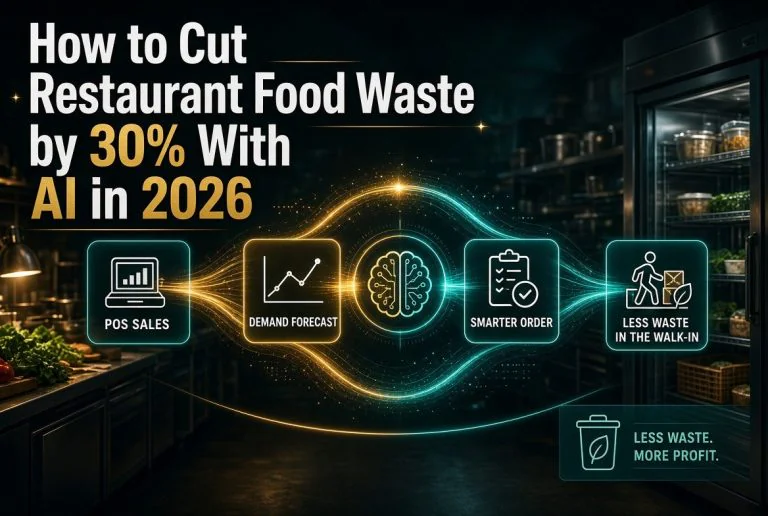
How to Cut Restaurant Food Waste by 30% With AI in 2026 ⚡ Expert Summary: The average independent restaurant throws away 4% to 10% of the food it buys, and for a restaurant spending $30,000 a month on food, that is $1,200 to $3,000 walking straight into the bin every month. AI waste tools work…
Culver’s Rolls Out Computer Vision for Drive-Thru — What Independent Operators Should Know
Culver’s Rolls Out Computer Vision for Drive-Thru — What Independent Operators Should Know ⚡ Expert Summary: Culver’s is rolling out computer vision technology across its drive-thru lanes to measure service execution and vehicle flow — part of a broader wave of operational AI adoption by U.S. restaurant chains. Rather than flashy robots or voice ordering,…
Deliverect and SoundHound AI Partner on Voice Ordering for Restaurants
Deliverect and SoundHound AI Partner on Voice Ordering for Restaurants: What Independent Operators Need to Know ⚡ Expert Summary: Deliverect and SoundHound AI announced a partnership on July 23, 2026, integrating SoundHound’s voice AI ordering directly into Deliverect’s order and menu management system. The integration connects 550+ POS systems across 80,000 restaurant locations in 50+…
SevenRooms Reservations Aggregator: One Dashboard for OpenTable, Resy, and Direct Bookings
SevenRooms Reservations Aggregator: One Dashboard for OpenTable, Resy, and Direct Bookings ⚡ Expert Summary: SevenRooms launched a reservations aggregator in June 2026 that pulls bookings from OpenTable, Resy, and direct website reservations into a single dashboard. For independent operators managing fragmented reservation sources across multiple platforms, this is the first tool that gives a unified…