Get the AI Restaurant Quick-Start Guide — Free
The 5 AI tools independent US restaurant owners are using right now to cut labor costs and answer every call.
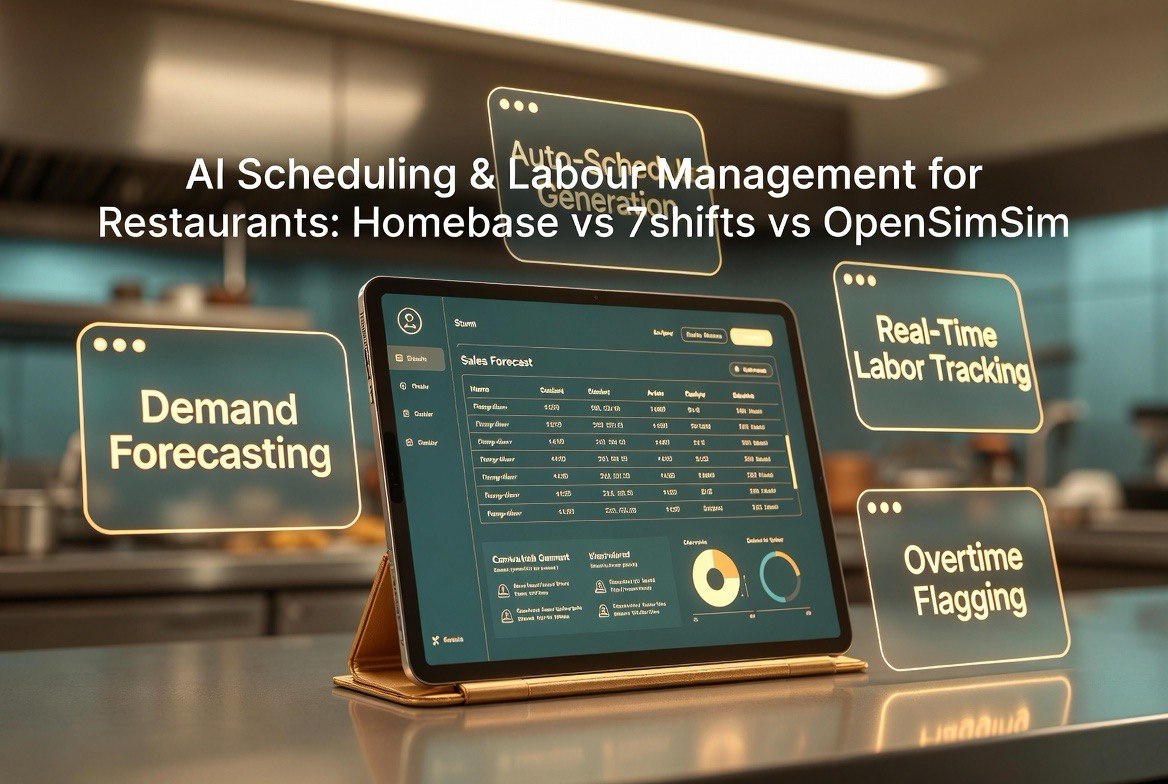
AI Scheduling & Labor Management for Restaurants: Homebase vs 7shifts vs OpenSimSim
⚡ Expert Summary: Labor is your biggest controllable cost — typically 30% of revenue in a restaurant — and the way you schedule determines whether you’re overstaffed on a slow Tuesday or scrambling to cover a Saturday rush. Modern platforms go beyond a calendar: they add AI-driven demand forecasting that predicts sales by hour, auto-generate shifts that match predicted traffic, cut labor waste, and reduce overtime. For an independent operator, the three names that matter most are Homebase, 7shifts, and OpenSimSim. Homebase is the best all-rounder for small independents with its generous free tier. 7shifts is the depth pick for operators with complex locations. OpenSimSim is the AI-native challenger that leans hardest into automation for multi-unit teams. This guide breaks down exactly which fits your operation, the real AI features to look for, and the labor-cost math that makes the ROI obvious.
Why Scheduling Is a Labor-Cost Problem, Not a Calendar Problem
Every restaurant owner knows labor is expensive. The number rarely gets discussed with the precision it deserves: labor typically runs 30% to 35% of a restaurant’s revenue. On a month where you do $60,000 in sales, that’s $18,000 to $21,000 spent on payroll. The difference between a well-scheduled team and a loosely scheduled one — overstaffing a slow shift, paying avoidable overtime, or understaffing a rush and losing service speed — can swing several points of that percentage. On that same $60,000 month, a labor swing of 3% is $1,800. Over a year, that’s more than $20,000.
The root cause is usually the same: schedules are built on guesswork. A manager pencils in shifts based on last week’s sales and a gut feeling about Thursday’s crowd, then adjusts when reality hits. The result is chronic overstaffing on dead shifts and frantic last-minute scrambles to cover busy ones. Labor bloat hides in the gaps, and overtime creeps in because coverage gets thrown at a problem instead of planned.
AI scheduling exists to replace that guesswork with forecast. Instead of “how many people did I schedule last Thursday,” the platform asks “how many people will I need next Thursday based on 12 months of sales patterns, weather, events, and day-of-week trends” — then builds a schedule that matches the forecast. The human stays in charge of final decisions, but the heavy lifting of predicting labor demand is automated.
The Three Contenders at a Glance
Homebase, 7shifts, and OpenSimSim compete in the same space but are built for slightly different operators. The table below gives you the quick landscape before we get into the detail.
| Platform | Best For | AI Strength | Pricing Tone |
|---|---|---|---|
| Homebase | Small independents & single stores | Demand forecasting + auto-scheduling | Freemium, then affordable tiers |
| 7shifts | Complex schedules, multi-location | Sales-based labor forecasting, tip pools | Mid, per-location pricing |
| OpenSimSim | AI-native multi-unit operators | Deep automation, platform AI agents | Subscription, automation-led |
Homebase: The Independent’s All-Rounder
Homebase is the platform most small independents encounter first, and for good reason. It bundles scheduling, time clocks, hiring, and team communication into a single product with a genuinely useful free tier. For a single-location independent on a tight budget, that free tier is the difference between adopting a tool and ignoring the problem entirely.
The scheduling engine includes demand forecasting and auto-scheduling. You set your forecast assumptions and shift templates, and Homebase generates a schedule based on predicted demand. Team members get the schedule in the app, can swap shifts with manager approval, and clock in and out on the same platform, with labor cost tracking against sales in real time.
Where Homebase shines for independents: everything lives in one place without requiring an operations or IT department. It pairs with the mainstream POS systems independents use, and its pricing tiers scale with headcount, so one store doesn’t pay for enterprise features it won’t use. The trade-off is that its AI forecasting, while solid, is not the deepest on the market. It’s built to be approachable, not to be the most sophisticated forecasting engine available.
7shifts: The Depth Pick for Complex Operations
7shifts is frequently the choice when scheduling gets hard — multi-location teams, intricate labor laws, tip pools, and heavy integration needs. It grew specifically out of the restaurant industry, and its feature set reflects deep familiarity with how restaurants actually run: sales-based labor forecasting, tip pooling and tip sharing, compliance with meal-break and overtime rules, and integrations with the major POS systems.
Its AI forecasting uses historical sales and event data to project demand, and managers can set labor targets as a percentage of sales, which the engine then optimizes around. The platform flags overtime before it happens, handles shift-swap and time-off workflows cleanly, and gives multi-unit operators a dashboard across all locations.
7shifts is the thing to demo if you’ve outgrown a simple calendar and need precision. The cost is higher than Homebase’s entry tiers, and it’s priced per location, which adds up the more sites you run. But for an operator juggling several stores and complex staffing rules, that precision is exactly what the monthly fee buys.
OpenSimSim: The AI-Native Challenger
OpenSimSim positions itself as the AI-first option in the category — the platform built around AI agents and automation rather than adding AI as a feature on top of a traditional scheduler. That orientation shows up in how aggressively it automates the scheduling workflow, aiming to turn labor management from a weekly manual task into a largely hands-off process.
Its pitch centers on reducing the time managers spend on scheduling and labor optimization, using AI to spot inefficiencies: overstaffed periods, overtime risk, and gaps before they become a problem. For a multi-unit operator who wants to standardize scheduling across stores and cut the hours management spends on the task, that AI-native focus is the draw.
The trade-off is that OpenSimSim is less of a household name than Homebase or 7shifts, so the reference base and integration ecosystem are thinner. If your priority is maximum automation and you run several locations, it’s worth a close look. If you want the safest, most battle-tested platform with the widest community, the other two have more mileage.
What to Look For in AI Scheduling, No Matter Which You Pick
The specific platform matters less than whether it does the core job well. These are the non-negotiable features to verify before you commit, because they’re what actually move your labor percentage.
1. Demand forecasting from your real sales data
The platform should use historical sales to predict demand by hour and day — not just let you set a fixed number of people per shift. Demand-based scheduling is the entire point of the AI. Demo it against your own last month of sales and see if the predicted coverage matches what you actually needed.
2. Auto-schedule that you can still override
The engine should generate a draft schedule you can adjust by hand, because real life always has exceptions — the star server who can only work mornings, the dishwashers who carpool. Automation that locks you out is worse than none.
3. Labor-cost tracking against sales in real time
You need to see labor as a percentage of sales live, not at the end of the month. If a Friday is running slow, you need to know mid-shift so you can send someone home before the overage compounds. This single dashboard view is where most of the savings come from.
4. Overtime flagging before it happens
The tool should warn you when someone is approaching overtime so you can rebalance before paying the premium. Overtime is one of the easiest leaks to plug, but only if you see it coming.
5. Your POS integration
Sales data has to flow from your POS for forecasting to work. Confirm the platform connects to the system you already use, or the AI is forecasting on thin air. Most platforms list supported POS integrations prominently — verify yours is there before you sign.
6. Shift-swap and communication built in
Team members need to see their schedule, request time off, and swap shifts without a chain of text messages to the manager. The labor math improves when coverage problems are solved in-app instead of over the phone at 11pm.
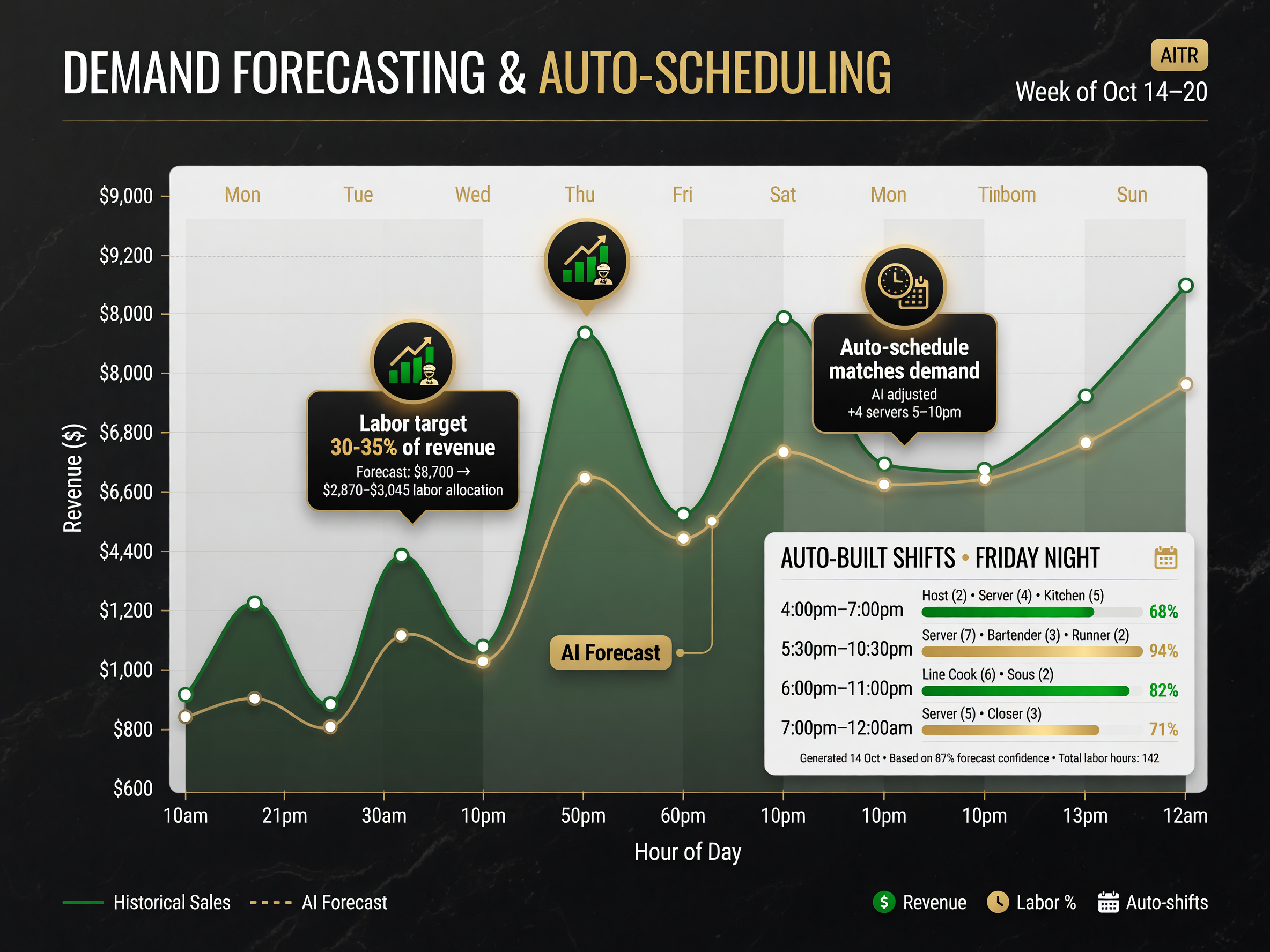
Demand forecasting matches staff coverage to predicted sales, cutting overstaffing and overtime.
The Labor-Math Case: What One Point of Labor Is Worth
Let’s make the savings concrete. Say your restaurant does $50,000 in monthly sales at a 32% labor cost — that’s $16,000 a month in payroll. A good scheduling platform routinely helps operators shave 1 to 3 percentage points off labor by cutting overstaffing and overtime. One point on $50,000 is $500 a month; three points is $1,500 a month, or $18,000 a year against a software cost that, depending on the tool and your headcount, lands in the low hundreds per month.
That’s the case in cold numbers: even a modest, well-executed efficiency gain pays for the platform many times over. The platforms don’t just pay for themselves — they show up as a direct improvement to your bottom line, which is exactly what a resource-strapped independent needs to survive labor-cost inflation and thin margins.
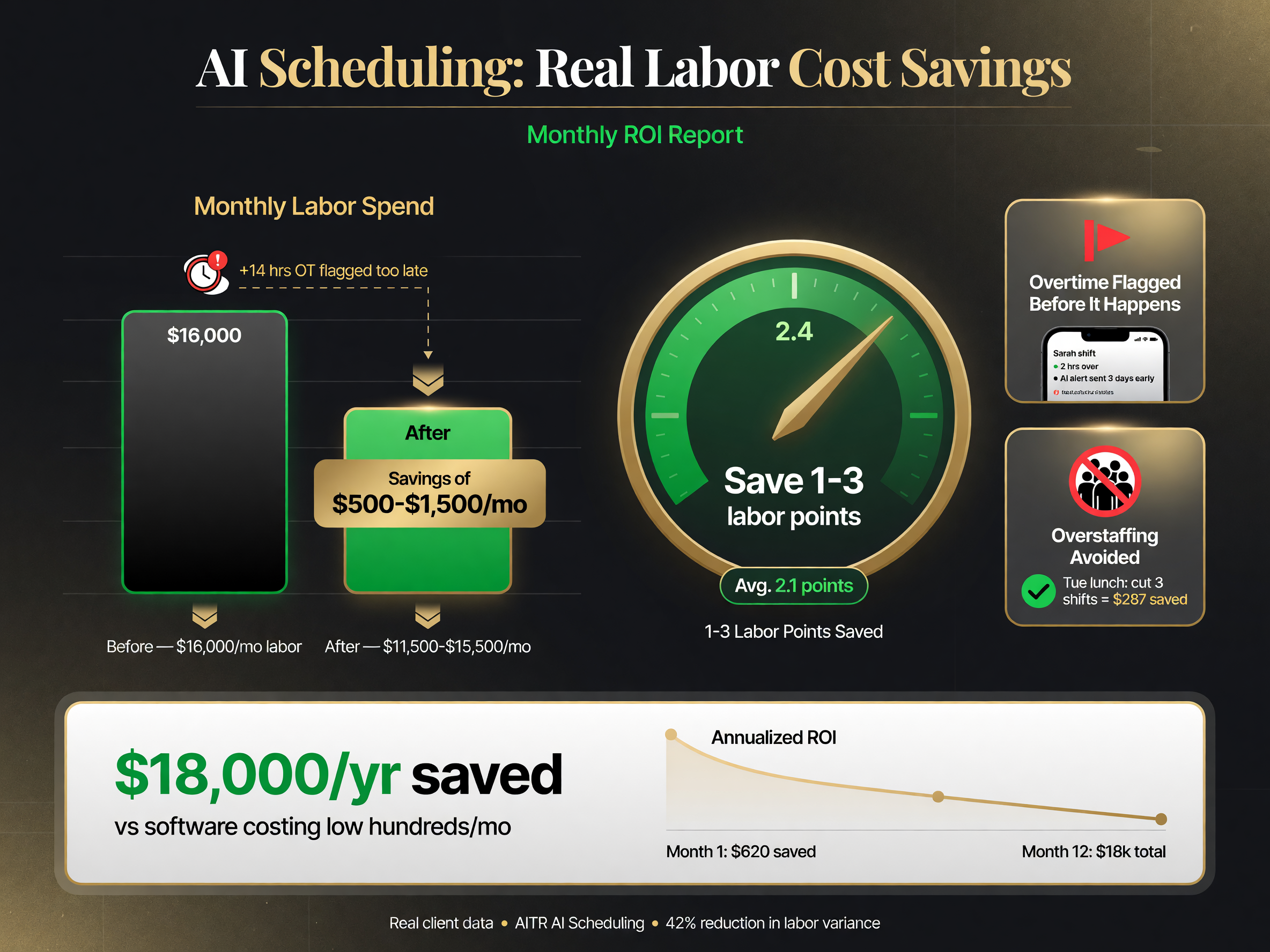
The labor math: saving 1-3 points on $50,000 monthly sales is $500-$1,500 a month against a low-hundreds software cost.
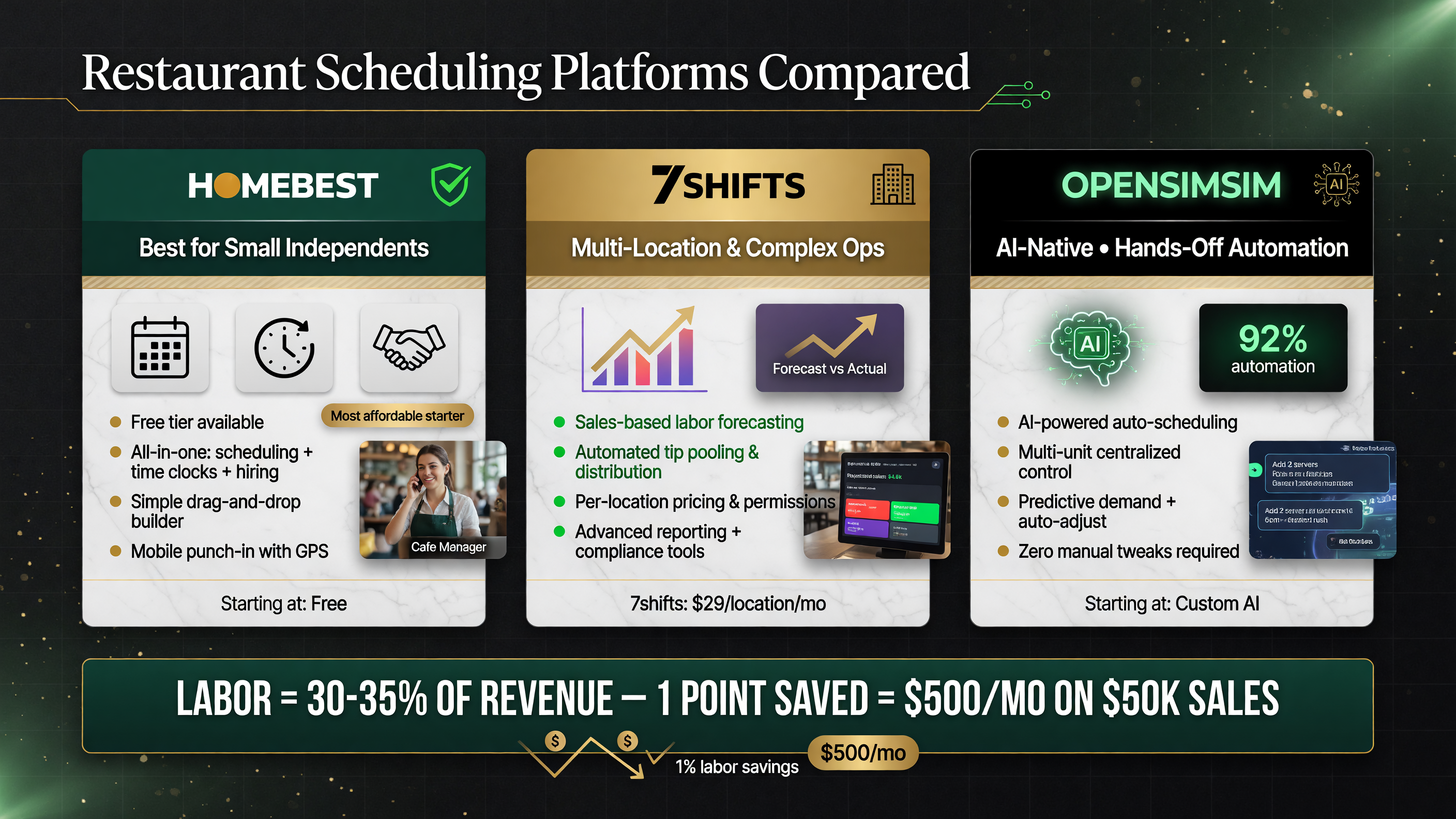
Which scheduling platform fits your operation: Homebase for independents, 7shifts for complex ops, OpenSimSim for multi-unit automation.
Table: Which Tool Matches Your Operation
| If Your Operation Is… | Start Here | Why |
|---|---|---|
| Single location, small team, tight budget | Homebase | Free tier + all-in-one scheduling, clocks, hiring |
| Multiple locations or complex labor rules | 7shifts | Deep forecasting, tip pools, compliance, multi-site dashboards |
| Multi-unit, wants maximum automation | OpenSimSim | AI-native, hands-off scheduling workflow |
How to Try One Without Risking Your Schedule
You don’t have to bet your week on a new platform. The right way to evaluate AI scheduling is a controlled pilot: load your real schedule and sales data into a 14-day trial, let the platform generate a draft for a week you know well, and compare its forecast against what you actually needed. If the AI prediction was close and the auto-schedule saved you coverage headaches, that’s your signal. If the forecast missed badly, move on — the platform’s forecasting engine was built on data patterns that don’t match your operation, and no amount of polish fixes that.
Pay particular attention to how the draft handles your specific quirks: the after-school rush that appears only in winter, the holiday spike, the slow August week. A platform that flattens those into averages hasn’t actually learned your business. The one that catches your seasonal rhythm is the one worth keeping.
FAQ: AI Scheduling for Restaurants
You’re not buying a calendar — you’re buying a forecasting engine that turns labor from your biggest unpredictable cost into a controllable number. Homebase gets you there fastest with the least risk and a free tier to prove it. 7shifts is the precision tool when complexity demands it. OpenSimSim is the automation bet for multi-unit operators. Whichever you pick, run the pilot, watch your labor percentage, and let the data be the judge.
About the Author

About Barak Schurr
Barak Schurr built and exited a major ticketing platform, ran global operations at Eventbrite, and now focuses on one question: which AI tools actually help independent restaurant owners run leaner and grow faster. He writes from the operator’s perspective — no vendor spin, no theory, just what’s real in 2026.
Email: [email protected]