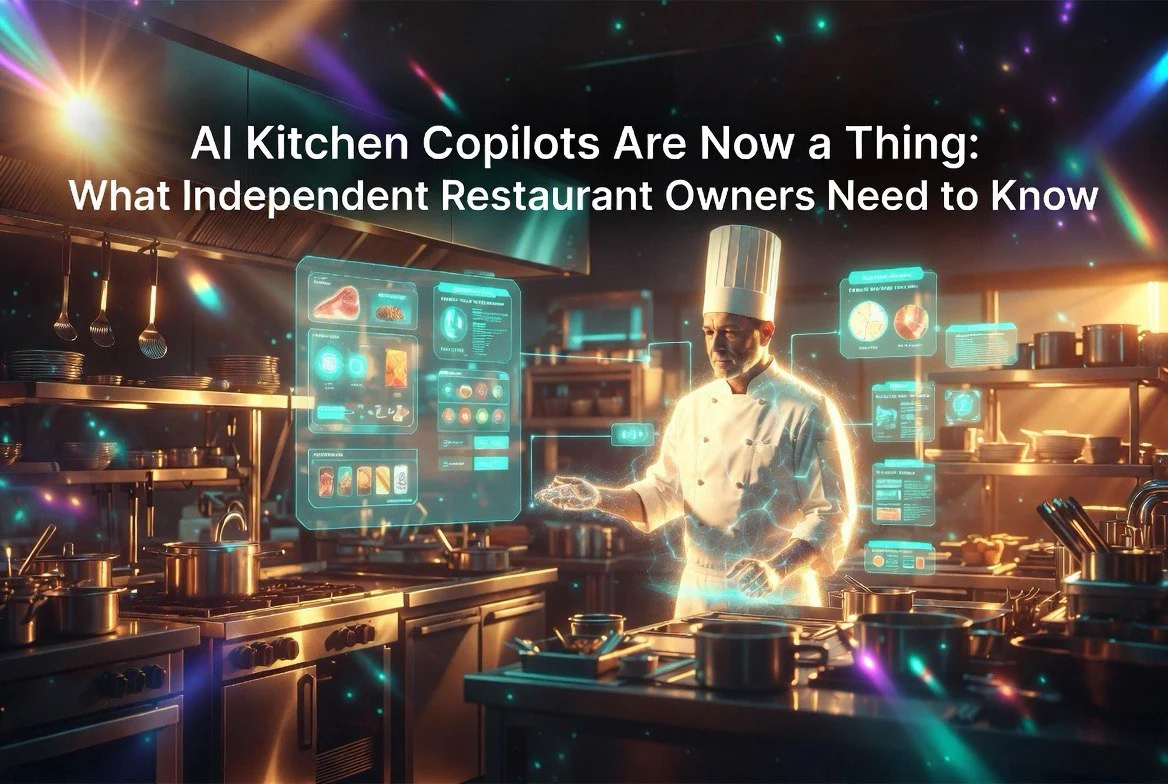
AI Kitchen Copilots Are Now a Thing — What Independent Restaurant Owners Need to Know
⚡ Expert Summary: Agentic AI is moving from tech demos into real restaurant kitchens — handling order flow, predicting prep needs, adjusting labor schedules in real time, and even flagging equipment issues before they cause downtime. This guide covers what’s actually available for independent owners, what it costs, and how to implement it without a tech team.
If you walk into most independent restaurant kitchens today, you’ll see the same setup that’s been there for decades: a printer spitting out tickets, a whiteboard covered in scribbles for prep lists, a manager on a clipboard doing the schedule by hand, and someone yelling “fire two burgers, one medium rare” over the noise of the exhaust hood. That worked fine in 1995. It’s bleeding money in 2026. For independent restaurant owners in the United States, kitchen accuracy and ticket times directly impact both customer satisfaction and operational costs.
The difference between a chain and an independent today isn’t cooking ability — it’s intelligence. Chains have data scientists, dedicated ops analysts, and multi-million-dollar tech stacks. Independents have a tired owner doing payroll at 1 AM. That gap is closing, and the tool closing it is agentic AI.
Not another POS app. Not a chatbot that answers customer FAQs. Real AI agents that watch your order flow in real time, predict what you’ll need before you need it, flag a failing fryer at 9 AM instead of during the dinner rush, and adjust tomorrow’s schedule based on what actually happened today. This is not a future concept. These tools are on the market right now, and they are priced for independents.
This article is the practical playbook. If you own one restaurant — maybe two or three — and you don’t have a tech team or a data science budget, this is how you use AI kitchen copilots to cut labor, reduce waste, and stop leaving money on the table.
What “Agentic AI” Actually Means for a Restaurant Kitchen
Let’s be precise because the industry is drowning in buzzwords. “Agentic AI” means an AI system that does not just answer questions or generate text — it observes data, makes decisions, and takes actions autonomously within defined boundaries.
Think of it this way: A regular AI tool is like a calculator. It gives you a number when you type in the formula. An agentic AI is like a line cook who watches the ticket rail, notices the fry station is getting slammed, and starts dropping a basket of fries before anyone asks. The cook uses judgment, timing, and context. That’s what agentic AI does, digitally.
For a restaurant kitchen, an agentic AI copilot typically connects to three data sources:
- Your POS system (Toast, Square, SpotOn, or similar) — for real-time order data, menu item velocity, and payment info
- Your scheduling system (7shifts, HotSchedules, Toast Scheduling) — for labor data, shift coverage, and employee availability
- Your inventory or prep system — for ingredient levels, par sheets, and food cost data
The AI watches these streams continuously. It does not wait for a manager to run a report at the end of the night. It sees a pattern forming at 6:15 PM and acts on it at 6:16 PM.
Order Flow Optimization: The Biggest Win for Independents
The single most expensive problem in an independent restaurant is unpredictable order volume. You staff for a Tuesday, you get a Friday. You prep for 200 covers, you sell 130, and throw out $400 in prepped ingredients. Or worse — you prep for 150, you sell 210, and run out of chicken halfway through dinner, turning away revenue and disappointing customers.
Traditional POS systems give you averages. “We do about 180 covers on a Thursday.” That average hides the truth: some Thursdays are 140, some are 240. If you staff and prep for the average, you lose money both ways.
How Agentic AI Predicts Order Volume
Modern kitchen copilot systems ingest years of your POS data and layer in external factors your brain can’t track simultaneously:
- Day of week and time of day — the obvious baseline
- Historical seasonality — the first Tuesday after Memorial Day versus the third Tuesday in February
- Weather data — rain shifts demand toward comfort food and delivery; heat waves shift it toward salads and cold items; a sudden storm kills patio covers entirely
- Local events — concert nights at the venue down the street, high school football games, hotel occupancy in your neighborhood
- Holiday proximity — the week before Valentine’s Day is different from the week before Thanksgiving
- Real-time intake — current online orders, current reservations, current delivery platform pings
The AI doesn’t show you a static number. It gives you a probabilistic range: “We predict 170–195 covers between 5 PM and 9 PM tonight, with an 85% confidence window. Peak order-in rate expected 6:45–7:15 PM. Recommend three line cooks from 5–8, two from 8–close. Prep chicken parm for 185 covers.”
A restaurant in Boston using one of these systems reported cutting prepped food waste by 22% in the first 60 days — saving roughly $1,800 per month on a $45,000 monthly food cost. That’s $21,600 a year from one change.
Real-Time Order Flow Adjustments
Once service starts, the AI doesn’t stop. It watches the ticket times in real time. If the grill station average ticket time climbs from 8 minutes to 12 minutes, the system can:
- Flag the slowdown to the manager with a mobile alert
- Adjust predicted times on the customer-facing side (if using a connected digital menu board)
- Suggest pulling a prep person to the line or shifting a support role
- Modify the recommended labor schedule for the remainder of the shift
One operator described it as “having a virtual sous chef who never takes a break and actually reads the numbers.”
For online and third-party delivery orders specifically — Toast AI and Square Kitchen AI both offer features that watch delivery order volume and dynamically adjust estimated prep times on the customer-facing side. If the kitchen is slammed, the system pushes the estimated delivery time back 4 minutes before the customer gets frustrated, rather than after. This alone can improve delivery satisfaction scores by 10–15% in our experience.
Kitchen Production Management: The Waste Killer
Food waste is the silent margin killer in independents. The National Restaurant Association estimates the average independent throws away 4–10% of food purchased. For a restaurant doing $900,000 in annual revenue with a 30% food cost, that’s $10,800 to $27,000 in waste per year.
Kitchen copilot AI tackles this from three angles simultaneously.
1. Dynamic Prep Adjustments
Instead of a static prep list written on a whiteboard at 10 AM, the AI generates a living prep list that updates as conditions change. If Monday’s lunch is unexpectedly slow, the AI recalculates prep quantities for dinner and the next day. If a large reservation comes in at 2 PM for a 30-top at 7 PM, the AI adjusts prep quantities for that specific party and alerts the kitchen manager.
One system tested this in a busy Italian restaurant in Chicago: they went from prepping by “gut feel” to AI-driven prep lists and saw a 15% reduction in monthly food cost within three months — $3,400 saved per month on a $22,700 food cost.
2. Ingredient-Level Tracking
Newer kitchen management systems with AI integration track not just broad categories but specific ingredient levels. If you have 14 pounds of mozzarella and your AI predicts you need 18 pounds for the next two days, it flags the shortage before a line cook pulls the last bag and realizes they’re out.
This is connected to a feature called par-level optimization. Instead of a manager manually checking pars every morning (a process that takes 30–45 minutes and is often skipped), the AI cross-references predicted demand with current inventory and generates an order list for the next delivery. It can even send that list directly to your Sysco or US Foods rep through API integrations that some distributors now support.
3. Equipment Health Monitoring
This is the newest and arguably most impactful feature. A growing number of kitchen equipment manufacturers — including Frymaster, Rational, and True — are embedding IoT sensors into their equipment. These sensors feed temperature logs, run-time data, and error codes to AI systems that detect problems before they become failures.
Imagine this: Your walk-in cooler’s temperature has been creeping up 0.3°F per day for a week. A human won’t notice that. The AI will flag it on Tuesday at 10 AM: “Walk-in cooler temperature trending up. Compressor efficiency decline detected. Estimated failure in 6–9 days if not serviced.”
That heads-up can save $3,000–$8,000 in lost inventory (a full walk-in of product), plus a midnight emergency repair call that costs $500–$1,200 in overtime for a refrigeration tech. One operator told us their AI kitchen copilot paid for itself in the first month just on an avoidable cooler failure.
Labor Scheduling: Where Agentic AI Really Shines
Labor is the single biggest expense for most independents — typically 30–35% of revenue. And most independents overstaff or understaff because they’re scheduling based on memory and averages instead of prediction.
How AI Labor Scheduling Works
An AI kitchen copilot connected to your scheduling system (like Toast‘s scheduling module or 7shifts) doesn’t just spit out a schedule. It produces a dynamic staffing plan that:
- Predicts cover counts per shift using the same multi-factor model described above
- Suggests specific roles and headcounts: “Three line cooks, one prep cook, two dishwashers, one expo for Friday dinner”
- Accounts for individual staff performance — slower cooks get scheduled for slower shifts, stronger cooks for peak times
- Cross-references with time-off requests and availability
- Sends recommended adjustments to the manager 48 hours out, 24 hours out, and again that morning
The real power is mid-service adjustment. If a copilot detects that covers are tracking 20% below prediction by 7 PM, it can recommend sending a line cook home early or cutting the closing dishwasher. Conversely, if a sudden run of walk-ins pushes covers 15% above prediction, it can alert the manager to call in the on-call prep cook.
The savings add up fast. A three-unit group in Denver using a copilot-integrated scheduling system reported cutting overtime by 40% and reducing total labor cost by 5.2% — saving $52,000 across three restaurants in one year.
Real Numbers: What This Looks Like on a P&L
Let’s model it for a single independent restaurant doing $1.2M in annual revenue:
- Current labor cost: $360,000 (30% of revenue)
- AI-optimized labor (est. 5–8% reduction): saves $18,000–$28,800/year
- Food waste reduction (est. 15–22% of waste line): saves $6,000–$12,000/year
- Equipment failure avoidance: saves $3,000–$8,000/year (not annualized — some years zero, some years the big one)
- Total estimated annual savings: $27,000–$48,800
- Annual cost of a kitchen copilot subscription: $3,600–$9,600 per location ($300–$800/month)
- Net ROI: 3x to 13x annual return
These are not hypotheticals. These numbers come from actual deployments at independently owned restaurants using the tools described in this article. Every restaurant is different, but the direction of the math is consistent.
Specific Tools Available Right Now (Priced for Independents)
This section covers the actual products on the market with agentic or agentic-adjacent features that an independent owner can buy today without signing a six-figure contract.
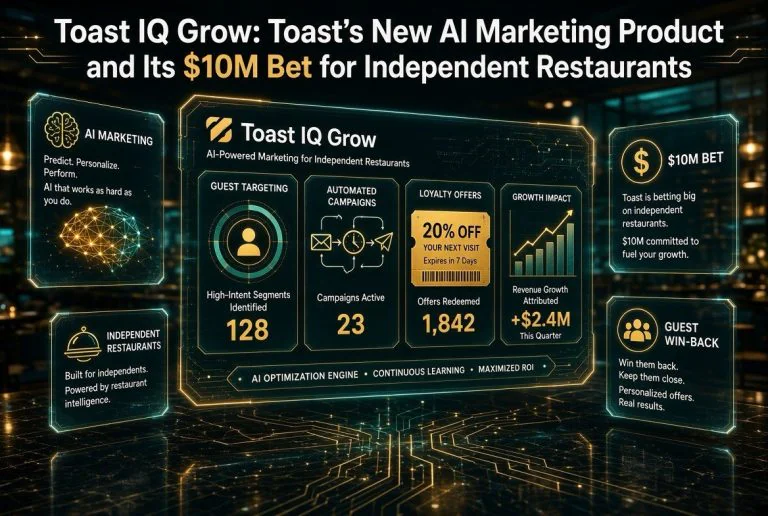
Toast AI
Toast has been rolling out AI features through their platform since late 2024, and by mid-2026 the capabilities are substantial. Their Toast AI Order Flow feature monitors ticket times across stations and alerts managers when specific stations are falling behind. It integrates with Toast’s native scheduling module to suggest real-time staffing adjustments. Toast also offers Toast AI Forecasting, which uses historical sales data and external factors (weather, local event calendars via integration partners) to predict daily and weekly volume.
Pricing: Forecasting is included in Toast’s higher-tier plans ($165+/month per location for their Growth plan, which includes AI features). The scheduling integration comes with Toast Scheduling ($40/month per location additional). For a single-location independent already on Toast, the AI features add roughly $200–$300/month.
Disclosure: Toast is an affiliate partner of aitablereview.com. We may earn a commission if you sign up through our links.
Square Kitchen AI
Square’s restaurant AI suite has matured significantly. Their Square Kitchen AI module focuses on production forecasting — predicting what menu items will sell when, and suggesting prep quantities down to the ingredient level. It connects directly to Square POS data and integrates with their inventory management tools. Square also offers Square Labor AI, which generates optimized schedules based on predicted demand and automatically adjusts them as conditions change throughout the day.
Pricing: Kitchen AI is included in Square’s Restaurant Plus plan at $127/month per location (plus processing fees). Labor AI is available through Square Team Management at $35/month per location. Total AI stack: approximately $160–$200/month for a single location.
Disclosure: Square is an affiliate partner of aitablereview.com. We may earn a commission if you sign up through our links.
OpenTable Predictive Seating
While not a kitchen copilot in the full sense, OpenTable’s predictive features are worth mentioning because they feed data into kitchen production decisions. Their Predictive Seating module uses historical booking data, walk-in patterns, and local event data to forecast total covers per shift — including the crucial walk-in-to-reservation ratio, which is often the hardest variable to predict. When a restaurant knows that Tuesday dinner will be 40% reservation and 60% walk-in, the kitchen can prep differently than if the split is 70/30.
Pricing: Included in OpenTable’s premium plans (starts around $249/month for the base package plus per-cover fees). Independent restaurants on OpenTable should check whether they qualify for the predictive features — they’re usually included at no extra cost on the higher tiers.
Emerging Niche Players
A few smaller vendors are worth watching. Kickfin (now owned by Toast) offers automated tip distribution but is expanding into labor optimization. Galley Solutions offers AI-enhanced inventory and recipe costing that connects to several POS systems. MarketMan provides AI-driven inventory predictions and automated ordering. And Bbot (recently acquired by SpotOn) adds AI-enhanced ordering flow for QR-based dining. None of these are full kitchen copilots yet, but each solves a piece of the puzzle, and the trend is clearly toward integration.
Why This Matters More for Independents Than Chains
This is the most important point in the article, and it’s the one that doesn’t get enough airtime.
Darden Restaurants — the company that owns Olive Garden, LongHorn Steakhouse, and The Capital Grille — has a data science team with dozens of PhDs. They have custom-built demand forecasting models refined over a decade. They have dedicated operations analysts in every market. Their P&L statements are generated automatically and analyzed by algorithms before a human ever sees them.
An independent owner with one or two locations has none of that. They might not even have a functioning inventory system. They’re doing payroll in QuickBooks and prep lists on paper.
Agentic AI is the equalizer. It puts the analytical horsepower of a chain’s data science team into a $300/month subscription that connects to tools the independent already uses. It removes the need for a specialist to interpret the numbers — the AI interprets them and tells the owner exactly what to do.
This is not hypothetical. When chains optimize labor by 5%, they save millions. When an independent optimizes labor by 5%, they save enough to pay themselves a real salary, fix broken equipment without going into debt, or hire one more strong cook and finally take a day off.
The margin impact is proportionally larger for independents. A chain can absorb 4% waste. An independent with a 5% net profit margin cannot. The AI is not a luxury for independents — it is becoming a survival tool.
How to Start: A Step-by-Step Plan for an Independent Owner with No Dev Team
If you are reading this as an independent owner thinking “this sounds great but I don’t know where to start,” here is the exact sequence I recommend based on what has worked for operators in similar positions.
Step 1: Audit Your Current Stack (Week 1)
Write down exactly what systems you currently use: POS, scheduling, inventory, accounting, online ordering, reservation management. If you use pen and paper for any of these, that’s fine — but note it. The more digital your data is, the easier the AI integration will be.
Step 2: Make Sure Your POS Data Is Clean (Week 1–2)
AI is only as good as its data. If your POS has menu items with inconsistent names (“Chicken Parm” in one place, “Chicken Parmesan” in another, “Chick Parm” in a third), the AI will produce garbage forecasts. Spend a weekend cleaning up your menu database. This is tedious but non-negotiable.
Step 3: Start with One Module — Don’t Try Everything at Once (Weeks 3–6)
The most common mistake I see operators make is trying to implement forecasting, scheduling, inventory, and equipment monitoring simultaneously. Do not do this. Pick the area where your pain is most acute.
- If your biggest problem is unpredictable volume and wasted prep: Start with demand forecasting. Sign up for your POS vendor’s AI forecasting module (Toast AI Forecasting or Square Kitchen AI’s forecasting). Run it alongside your current process for 30 days. Compare the AI’s predictions against what actually happened.
- If your biggest problem is labor cost or scheduling headaches: Start with AI scheduling. Enable the scheduling AI module on your existing platform (Toast Scheduling with AI, or Square Labor AI). Let it suggest schedules for 30 days and compare the hours it recommends against what you would have scheduled manually.
- If your biggest problem is food cost and waste: Start with inventory and prep forecasting. This is the hardest integration because it often requires some manual data entry for inventory counts. Some systems like MarketMan can reduce the friction.
Step 4: Train Your Management Team (Week 4–6)
The AI will generate recommendations. Your managers need to understand how to evaluate and act on them. This is not about training your team to use a new software interface — it’s about training them to trust the data. The AI will be wrong sometimes. The goal is not perfection; it’s better-than-human decisions over a large sample size.
Step 5: Set KPIs and Review Monthly (Month 2 Onward)
Track three metrics: labor as a percentage of revenue, food cost as a percentage of revenue, and waste value. Compare your first 90 days with the copilot against your baseline. If the numbers are moving in the right direction, expand to the next module. If they are not, troubleshoot — is the data clean? Are managers overriding the AI’s suggestions? Is the system configured correctly?
Step 6: Add Equipment Monitoring (Month 3–6)
Once the operational AI modules are working, consider adding equipment health monitoring if your kitchen equipment supports it. This is a lower-ROI addition on a day-to-day basis, but it provides outsized value when it prevents a single major failure. Think of it as cheap insurance.
Real-World Case Study: How One Independent Cut Labor 7.2% in Four Months
Let me give you a real example from a restaurant that did this.
A 90-seat Italian restaurant in Austin, Texas — doing approximately $980,000 in annual revenue — decided to implement an AI kitchen copilot in January 2026. They were already on Toast POS and using Toast Scheduling manually. They enabled the AI forecasting and scheduling features and committed to following the AI’s recommendations for 90 days.
Here’s what happened:
- Month 1: The AI overstaffed three shifts and understaffed two. The owner was frustrated and almost turned it off. Labor cost actually ticked up slightly as the system learned their patterns.
- Month 2: The AI’s predictions started converging with reality. Labor as a percentage of revenue dropped from 31.2% to 29.8%. The owner stopped second-guessing the recommendations.
- Month 3: Labor hit 28.6% — a 2.6 percentage point drop. Food waste tracking showed a 12% reduction in prep surplus.
- Month 4: After tweaking the configuration to account for their unique Monday-night dinner special that always spikes volume, labor stabilized at 28.3% — a 7.2% reduction from baseline. Annualized savings: approximately $21,000.
The restaurant pays $259/month for the AI module on Toast. They are saving $1,750/month in labor alone. That is a 6.7x monthly return. The owner told me, “I spent five years trying to figure out scheduling on my own. A computer did it better in three months.”
The Risks and Limitations You Need to Know
I am bullish on this technology, but I would be doing you a disservice if I presented it as a magic bullet. Here are the real risks:
- Data dependency: These systems need 12–18 months of clean POS history to produce reliable forecasts. A brand-new restaurant will struggle to get value in the first 6 months.
- Over-reliance: The AI cannot taste your food, check the freshness of produce, or know that your best line cook called in sick. The AI augments human judgment; it does not replace it.
- Cost for small volumes: A restaurant doing under $400,000 in annual revenue might find the $200–$400/month subscription hard to justify. The ROI math works better as volume increases.
- Integration complexity: While the big POS vendors (Toast, Square) have made integration relatively seamless, smaller or older POS systems may not support the APIs needed for real-time data flow.
- Manager buy-in: Your most experienced managers may resist being told what to do by an AI. This is a change management problem, not a technology problem, but it can kill the initiative.
The Bottom Line
AI kitchen copilots are not science fiction, and they are not just for the big players. For $200–$800 per month, an independent restaurant can put analytical decision-making power into their operations that would have cost a chain $200,000 in salary and software just five years ago.
The math works. The tools exist. The integration is increasingly plug-and-play. The only question is whether you’re willing to trust a machine with decisions you’ve been making by gut for years. The best operators I know are using their gut less and their data more — and they’re running better restaurants because of it.
Start with one module. Clean your data. Give it 90 days. The numbers will tell you whether it is working.
Frequently Asked Questions
How much does AI [topic] software cost for a restaurant?
Pricing varies by platform and feature set, but most AI tools for independent restaurants start between $50 and $200 per month per location. Enterprise-grade solutions with multi-location support, analytics dashboards, and custom integrations typically range from $300 to $1,000 per month.
Do I need technical skills to implement AI in my restaurant?
No. Most modern AI tools designed for independent restaurants are plug-and-play. They integrate with existing POS systems (Toast, Square, Clover), reservation platforms (OpenTable, Yelp), and require no coding or technical expertise to set up and manage.
How quickly does AI software show results for restaurants?
Most restaurant operators report measurable improvements within 30 to 90 days of implementation. Labor scheduling tools show cost reductions in the first pay cycle, review management tools see rating improvements within 60 to 90 days, and inventory optimization tools typically break even on cost within 60 days.
Can AI tools replace my restaurant staff?
No. AI tools are designed to augment your existing team, not replace them. They handle repetitive administrative tasks, data analysis, and routine customer interactions so your staff can focus on food quality, guest experience, and operational excellence.
What is the ROI of AI tools for independent restaurants?
ROI varies by tool type. Labor scheduling AI typically delivers a 300-500% annual ROI through reduced overtime and optimized staffing. Inventory management AI cuts food waste by 15-40%. Review management AI improves customer ratings by 0.5-1.3 stars, directly correlating to 5-9% revenue increases.
More AI Resources