Get the AI Restaurant Quick-Start Guide — Free
The 5 AI tools independent US restaurant owners are using right now to cut labor costs and answer every call.
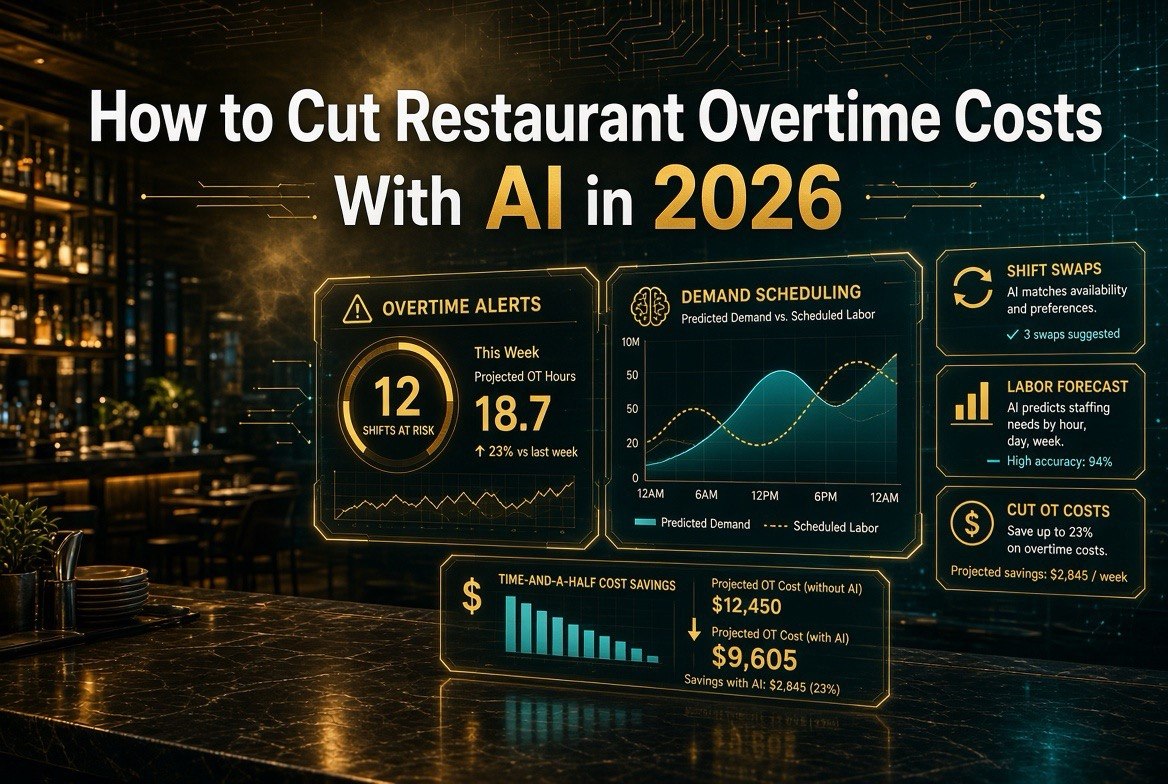
How to Cut Restaurant Overtime Costs With AI in 2026
Every restaurant owner knows the pain of opening payroll and seeing a number that makes no sense. You scheduled 40 hours, but between call-offs, double-shifts to cover a sick cook, and a Friday night that ran an hour past close, you’re suddenly paying time-and-a-half on half the team. Overtime isn’t a single big expense — it’s a thousand small ones, and by the time you notice, it’s already on next week’s check.
The good news: in 2026, this is exactly the kind of problem AI is genuinely good at solving. Not by cutting staff, not by making your life harder — by predicting demand so precisely that you stop over-scheduling in the first place, and by flagging overtime risk before it turns into a time-and-a-half surprise. This guide walks you through a practical, step-by-step plan to cut restaurant overtime costs with AI, starting today.
Why Overtime Matters More Than You Think
Here’s the math that convinces most owners to take this seriously. Restaurant labor costs typically run 30-35% of revenue — the single biggest controllable expense a US independent restaurant has after food. Overtime isn’t a small slice of that; it’s the most expensive slice of all.
Think about what time-and-a-half actually costs. A cook earning $18 an hour costs $27 per overtime hour. Over a year, a restaurant that burns just 10 hours of overtime a week (which is almost nothing — one late close and one call-off) is throwing away more than $14,000 a year on premium pay alone. Now multiply that across every shift that quietly drifts over 40 hours, and you’re looking at a five-figure leak that most operators never even realize is there.
AI tools don’t eliminate overtime by magic — they eliminate the dumb overtime: the shift you scheduled too fat because you guessed, the coverage you bought because you didn’t see the call-off coming, the double-shift you paid premium for instead of pulling someone in from the bench. When you cut that, you’re not cutting service levels — you’re cutting pure waste.
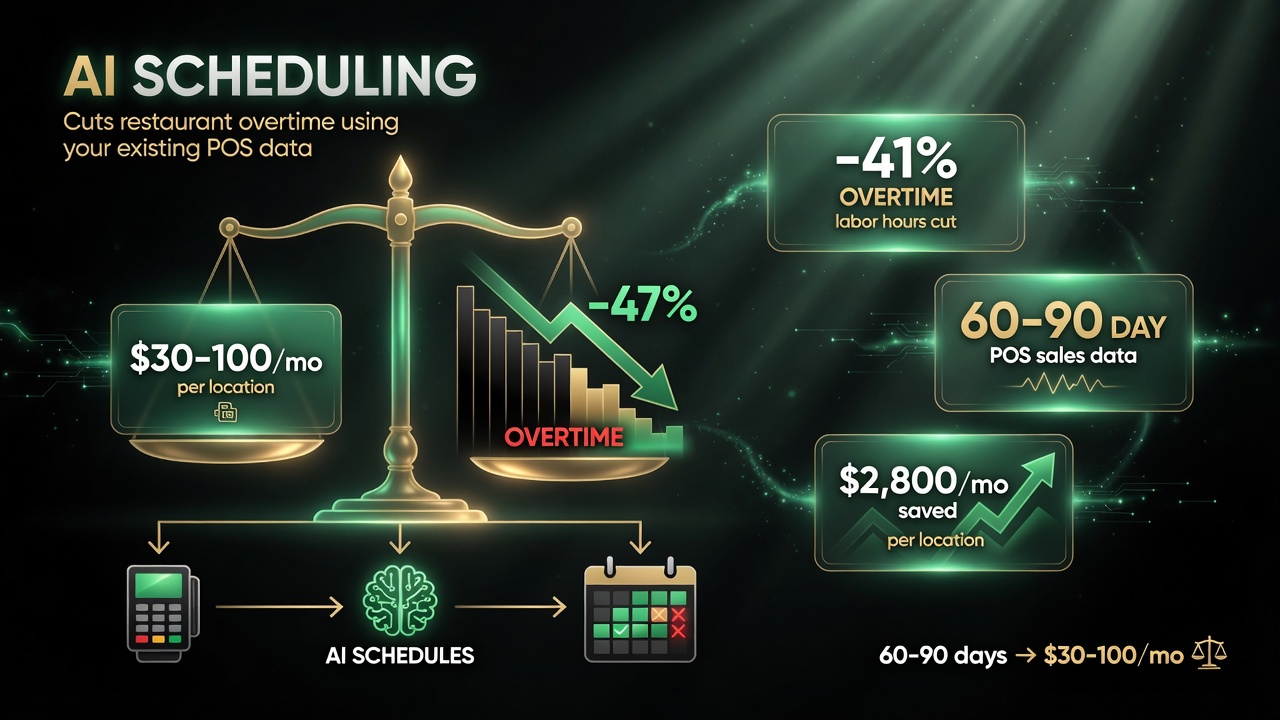
The cost of entry is low: an AI scheduling platform runs about $30 to $100 per month per location, and it works off the 60 to 90 days of sales data your POS already holds — the savings come from cutting overtime hours, not from buying new hardware.
How AI Actually Cuts Restaurant Overtime
Before the steps, know what you’re working with. AI labor tools use your sales history, day-of-week patterns, local events, and weather to forecast exactly how many people you need per hour. They then build schedules that match that demand curve, and — this is the part that kills overtime — they flag and prevent hours from creeping over 40 before it happens.
Four mechanisms do the heavy lifting:
- Demand-based scheduling: instead of scheduling a flat number of people, the tool matches staffing to predicted hourly demand, so you don’t overstaff the slow afternoon and understaff the rush.
- Overtime alerts: the system watches every employee’s running hours and alerts you the moment someone is trending toward 40, so you can rebalance before premium pay triggers.
- Shift-swap automation: when a call-off happens, the tool finds a qualified replacement automatically instead of forcing you to pay someone overtime to cover it.
- Labor forecasting: for high-volume or multi-location operations, forecasting predicts the whole week’s labor need in advance, so you buy the right coverage the first time.
None of this replaces your judgment — these tools are decision support. But they turn “I think I’m understaffed Friday” into “Friday needs exactly 11 labor hours more than you scheduled,” which is a dramatically easier problem to solve.
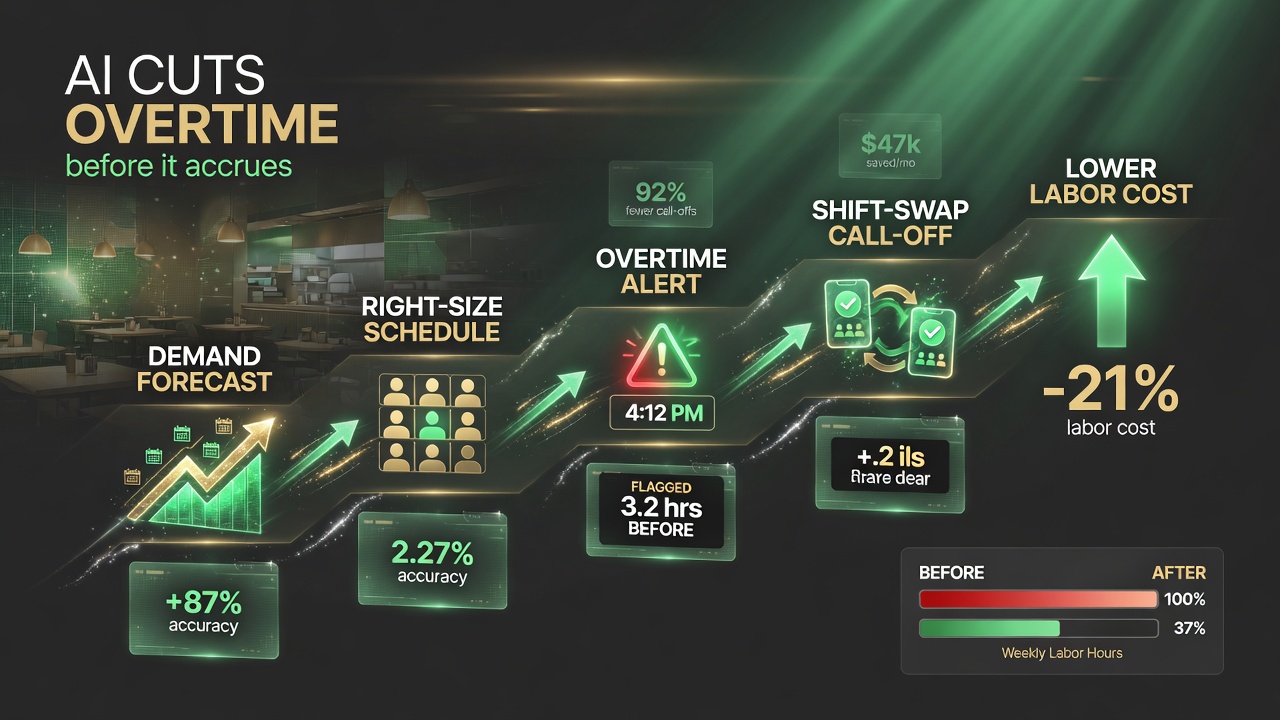
AI attacks overtime in five connected moves: predict demand, right-size the schedule before the week starts, flag overtime before it accrues, route call-offs for shift-swap, and watch labor cost fall.
What You’ll Need to Get Started
| Component | What You Need | Approx. Cost |
|---|---|---|
| Clean sales / POS data | At least 60-90 days of sales history your POS can export | Free (you likely already have it) |
| AI scheduling / labor platform | A scheduling tool with demand forecasting + overtime alerts | $30-$100/month per location |
| Shift-swap / communication tool | So staff can trade shifts and fill call-offs through the app | Often bundled with the scheduler |
| 30-60 minutes of setup | Connect POS, upload staff, set overtime rules and thresholds | Your time, one-time |
That’s the whole shopping list. Notice what’s not on it: you don’t need new hardware, you don’t need to replace your POS, and you don’t need a technical team. The barrier to entry is a subscription and an afternoon of setup.
Step-by-Step: Cut Overtime With AI
Step 1: Audit Your Current Overtime Problem
Before you buy anything, know the size of the leak. Pull your last three months of payroll and count: how many overtime hours did you pay each week? Which shifts and positions drove them? Was it covering call-offs, or systematic overstaffing of slow periods? This baseline is your “before” number — you’ll measure success against it, and it tells you which overtime type to attack first.
Step 2: Connect Your Sales Data and POS
Pick an AI scheduling tool that integrates with your POS and import at least 60-90 days of sales history. This is the fuel for demand forecasting. If your tool can’t pull clean hourly sales, you’ll be guessing — and guessing is the exact behavior you’re trying to eliminate. Most modern tools (7shifts, Homebase, XShift, and others) offer direct POS integration.
Step 3: Set Your Overtime Rules and Boundaries
Configure the platform to enforce your labor policy: overtime threshold (typically 40 hours, or earlier if you’re in a state with daily overtime), min/max hours per employee, and rest rules. The point is to make the tool watch these rules so it can alert you before someone crosses the line instead of after.
Step 4: Let the Tool Build a Demand-Based Schedule
Generate a schedule from predicted demand rather than habit. Let the AI allocate hours to match the forecast — more bodies at Friday dinner, fewer on Monday afternoon. Compare it against what you’d have scheduled by gut feel. The gap between the two is a preview of the overtime you were about to create.
Step 5: Turn On Overtime Alerts
This is the single highest-leverage step. Enable alerts that fire the moment anyone is trending toward overtime during the week. When the tool flags an employee at 36 hours mid-week with a double-shift Friday coming, you can rebalance then — swap a shift, cut someone early — instead of paying time-and-a-half on Friday night.
Step 6: Automate Call-Off Coverage With Shift Swaps
Most overtime happens because someone calls off and a manager pays whoever’s already maxed out to cover it. Set up in-app shift swapping so staff can trade shifts and pick up open shifts themselves, and let the tool route a call-off to qualified replacements before anyone works overtime. This alone typically cuts the most expensive kind of overtime.
Step 7: Review Weekly and Refine
Once a week, review the overtime report the tool generates. Where did you still go over? Was it a forecast miss, a late call-off, or a rule you set too loose? Adjust thresholds and repeat. Overtime control is a steady refinement, not a one-time fix — but within 30-60 days you should see the curve bend down measurably.
Ready-to-Use Checklist
Print this and work through it in order:
- Pull 3 months of payroll and count weekly overtime hours (baseline)
- Identify which shifts/positions drive the most overtime
- Choose an AI scheduling tool that integrates with your POS
- Connect 60-90 days of clean sales data
- Set overtime threshold (40h or state-mandated) in the tool
- Configure min/max hours and rest rules per employee
- Generate a demand-based schedule for week one
- Enable real-time overtime alerts for all managers
- Turn on in-app shift swapping and call-off routing
- Brief managers on rebalancing when alerts fire
- Run week one, then compare actual vs. baseline overtime
- Review the weekly overtime report and adjust thresholds
- Repeat weekly for 60 days, then lock in your new process
Choosing the Right Tool for Your Operation
| Capability | 7shifts | Homebase | XShift AI |
|---|---|---|---|
| Demand-based scheduling | Yes | Yes | Yes (AI-first) |
| Overtime alerts | Yes | Yes | Yes |
| Call-off routing / shift swap | Yes | Yes | Yes |
| POS integrations | Broad | Broad | Growing |
| Best fit | Full-service & multi-location | Small independents, ease of use | Teams that want AI-first automation |
All three will meaningfully cut overtime if you follow the steps above. Pick based on your POS integration and which interface your team will actually use — the best tool is the one your managers don’t fight. Start a free trial of one, run the checklist, and measure your baseline against the result after a month.
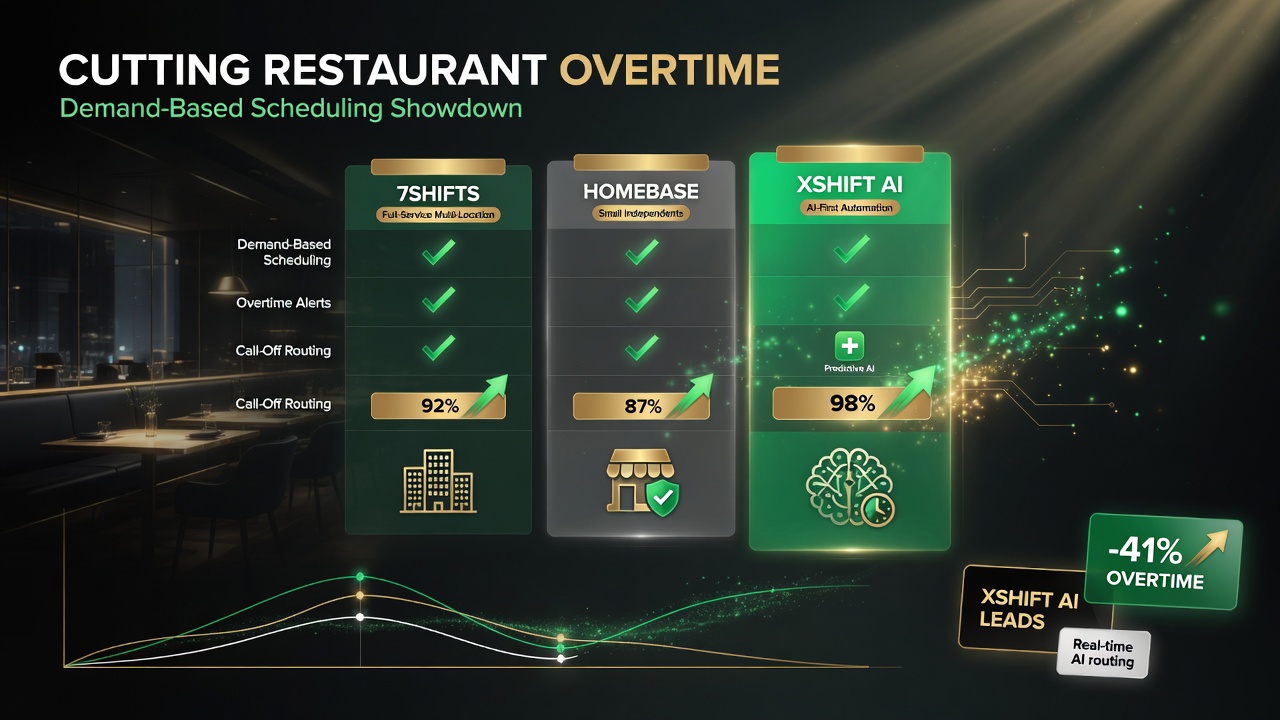
All three tools handle demand scheduling, overtime alerts, and call-off routing — where they split is best fit: 7shifts for full-service multi-location, Homebase for small independents, XShift AI for teams that want AI-first automation. See the full comparison in the table above.
Common Mistakes to Avoid
- Skipping the baseline. If you don’t measure your current overtime first, you can’t prove the tool is working — or know if it’s not.
- Buying before connecting data. A forecasting tool with no clean sales history is just expensive guesswork. Wire your POS data up first.
- Ignoring the alerts. The tool will flag overtime risk; if managers ignore the notifications, you’ve paid for coverage you’re not using. Train them on what to do when it fires.
- Viewing it as “cutting staff.” The goal is eliminating premium-pay waste, not trimming good people. Framing it as waste control keeps your team on board instead of defensive.
- Giving up after two weeks. AI labor tools get more accurate as they learn your patterns. Judge them at 60 days, not at two weeks.
Frequently Asked Questions
How much can AI actually reduce restaurant overtime?
Operators using AI demand-based scheduling typically report cutting overtime and total labor costs by 10-25%, with overtime specifically dropping faster than base hours because it’s the most avoidable slice. Exact results depend on how much overtime your schedule was generating before you started.
Will AI scheduling force me to cut staff?
No. The goal is eliminating overtime premium pay and overstaffing waste, not laying off good employees. Most operators re-deploy the hours saved into better coverage of actual rushes or simply stop paying time-and-a-half they were wasting.
Do I need to replace my POS to use these tools?
No. AI scheduling and labor tools integrate with your existing POS and pull sales history automatically. Confirm your specific POS is supported before subscribing to avoid an integration surprise.
How long does it take to see results?
Overtime alerts and shift-swap automation work from day one — you’ll see the first avoided overtime within a week or two. Demand-based forecasting gets more accurate over 30-60 days as it learns your patterns, so results improve steadily after that.
Are these tools worth it for a single-location restaurant?
Yes, and single-location operators often see the fastest relative ROI because even modest overtime waste is pure margin loss. With S30-$100/month pricing and the ability to avoid even a few overtime hours weekly, most locations pay for the tool several times over.
Does AI scheduling handle state-specific overtime laws?
Most reputable tools let you configure overtime thresholds (daily vs. weekly) to match your state’s rules and your own policy. Set these correctly in setup, and the tool’s alerts will respect them automatically.

About Barak Schurr
Barak Schurr built and exited a major ticketing platform, ran global operations at Eventbrite, and now focuses on one question: which AI tools actually help independent restaurant owners run leaner and grow faster. He writes from the operator’s perspective — no vendor spin, no theory, just what’s real in 2026.
Email: [email protected]
More Resources for Restaurant Operators